Top 10 Anti-Detect Browsers for Multi-Account Management in 2026 (Tested & Compared)
By Clicia McGuinness, Multi-Account Operations & Anti-Detect Consultant. Pricing and features verified against each tool's live plans in June 2026. · Published June 2026 · Last updated June 20, 2026 · Contains partner links (MostLogin)
Managing multiple online accounts is now standard practice across e-commerce, affiliate marketing, social media management, traffic arbitrage, and Web3. But platforms have become far better at detecting account relationships — analysing not just IP addresses but browser fingerprints, device characteristics, cookies, time zones, and behavioural patterns. Different emails and proxies alone are no longer enough.
An anti-detect browser solves this by creating isolated browser environments, each with its own fingerprint, cookies, and proxy, so every account looks like a separate device. This guide compares the 10 best anti-detect browsers for multi-account management in 2026 — with current pricing, real pros and cons, and the use case each one fits best.
TL;DR — Quick Verdict (2026)
- Best value right now: MostLogin — full fingerprint browser free during the Pioneer Program, plus Android cloud phones
- Best for enterprises & deep fingerprinting: Multilogin
- Best all-around for most users: GoLogin
- Best for automation & ad accounts: AdsPower
- Best for beginners & affiliates: Dolphin Anty (5 free profiles)
- Best for mobile fingerprints (TikTok/Instagram): Kameleo
- Best generous free trial: Incogniton (10 profiles for 2 months)
What Is an Anti-Detect Browser?
An anti-detect browser is a browser designed to create independent profiles, each appearing as a unique device to websites. A single profile can carry its own User-Agent, screen resolution, language, time zone, Canvas fingerprint, WebGL fingerprint, cookies, local storage, and proxy configuration. By isolating these elements, the browser lets you run many accounts from one computer without them being linked.
Common use cases include multi-account management, cross-border e-commerce, affiliate marketing, social media operations, advertising account management, Web3 participation, and agency client management.
Why Multi-Account Operators Use Anti-Detect Browsers
E-commerce: sellers run multiple stores across Amazon, eBay, Shopee, Lazada, Etsy, and Walmart Marketplace, and browser isolation keeps each store environment independent. Social media & advertising: teams manage many accounts across Facebook, Instagram, TikTok, X, LinkedIn, and Reddit, with dedicated profiles per account. Affiliate marketing: media buyers separate ad accounts, tracking, and offers to keep attribution clean. Agencies: profile sharing lets teams manage client accounts without exposing logins. Web3: operators keep multiple wallets and communities in isolated environments.
How We Evaluated These Browsers
Rather than repeating marketing claims, we weighted five practical criteria and verified pricing against each vendor's live plans in 2026:
| Evaluation criterion | Why it matters | Weight |
|---|---|---|
| Fingerprint management | Quality/consistency of the digital identity per profile | High |
| Profile isolation | How cleanly accounts are separated (cookies, storage, IP) | High |
| Team collaboration | Profile sharing and role-based access for agencies | Medium |
| Automation support | API, RPA, and framework integrations (Selenium/Puppeteer) | Medium |
| Scalability & pricing | Cost per profile as you grow | Medium |
Anti-Detect Browser Comparison Table (2026)
| Browser | Free tier | Paid from | Mobile / cloud phone | Automation | Best for |
|---|---|---|---|---|---|
| MostLogin | Free browser (Pioneer Program) | Cloud phone pay-as-you-go | Yes (Android kernel + cloud phones) | API + RPA | Best free value / all-in-one |
| Multilogin | $2 3-day trial | ~$7.08/mo (annual) | No | API | Enterprise, fingerprint depth |
| AdsPower | 2 profiles | ~$7.2/mo (annual) | No | Built-in RPA | Automation, ad accounts |
| GoLogin | 3 profiles | ~$4.5/mo (annual) | Android app | API | All-around, freelancers |
| MoreLogin | 2 profiles | ~$5.4/mo (annual) | Yes (cloud phone) | API + RPA | Budget, cross-border |
| Dolphin Anty | 5 profiles | $10/mo (Starter) | No | Scenario builder + API | Beginners, affiliates |
| Incogniton | 10 profiles (2 mo) | ~$13.99/mo | No | API (higher tiers) | Generous trial, small teams |
| MuLogin | Trial | $59/mo | No | API (limited) | Cross-border e-commerce |
| Kameleo | Free (2 concurrent) | €45/mo | Mobile fingerprints | API | Mobile-first fingerprints |
| Hidemyacc | 7-day trial | $5/mo | No | API (limited) | Affordable per-profile |
Prices reflect each vendor's live plans in June 2026; monthly-vs-annual billing noted per tool below. Verify current pricing before purchase.
The Top 10 Anti-Detect Browsers in 2026
#1MostLogin — Best Free Value & All-in-One (Browser + Cloud Phones)

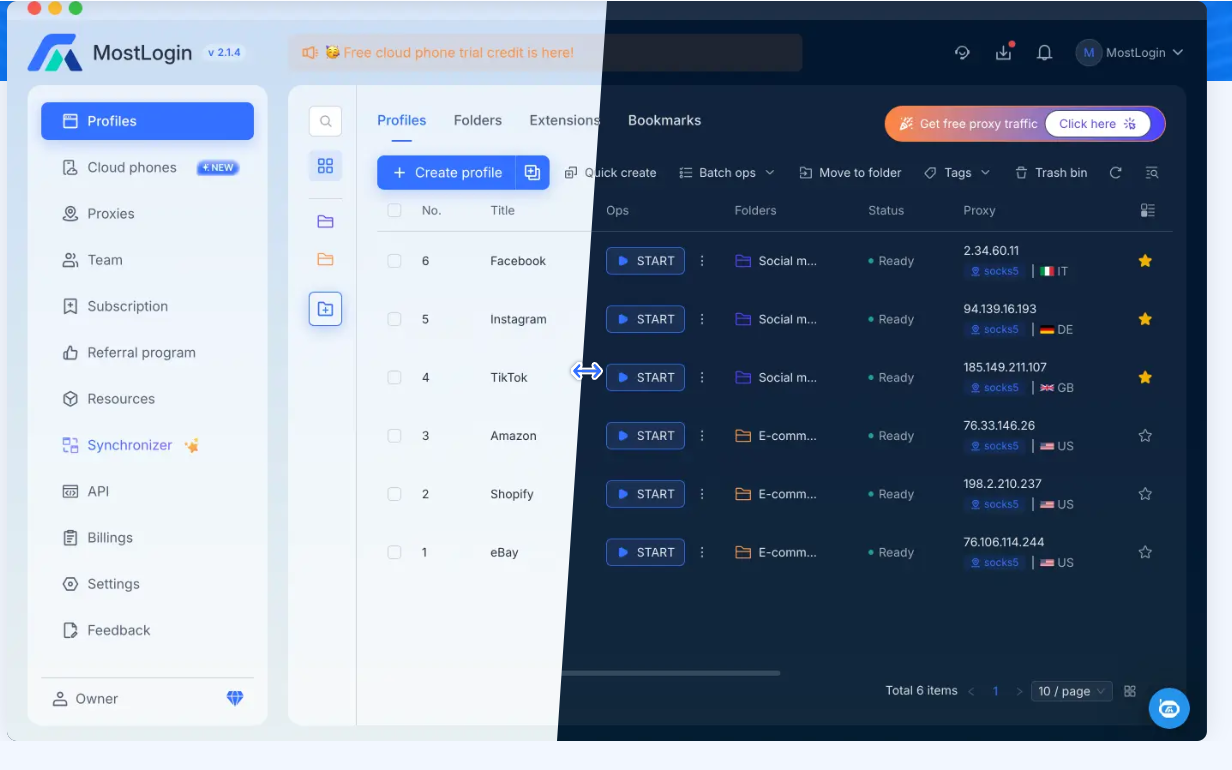
MostLogin is an anti-detect browser and Android cloud-phone platform for teams managing multiple accounts. It combines browser-profile management, dynamic fingerprint masking, proxy support, team collaboration, API + RPA automation, and cloud phones in one ecosystem — and it's one of the few tools with a genuine Android kernel, so you can run mobile-app anti-association without a separate emulator. It runs on Windows and macOS and has a 200,000+ user community.
Pricing
During the Pioneer Program, the full fingerprint browser — multi-profile management, anti-association, API, and RPA — is 100% free. Cloud phones use a competitive pay-as-you-go model, and new users can receive up to 10GB of free residential proxy traffic. (Promotional; terms may change after the Pioneer Program.)

Key features
Chromium + Firefox + Android kernels; dynamic fingerprint masking (Canvas, WebGL, AudioContext, fonts, hardware); HTTP/SOCKS5 proxy support with global residential IP pools; profile sharing and role-based team access; group control / synchronizer; open API with Selenium and Puppeteer.
- Full fingerprint browser is currently free (Pioneer Program)
- Rare Chromium + Firefox + Android kernel support
- Built-in cloud phones for mobile-app accounts
- Up to 10GB free residential proxy for new users
- API + RPA automation included
- Newer platform with a shorter track record than Multilogin or AdsPower
- Smaller (though growing) user base
- Windows/macOS only — no Linux client
- 'Free' is a promotional program that may change
Full anti-detect browser + Android cloud phones · free during Pioneer Program · up to 10GB free proxy
Get MostLogin →
#2Multilogin — Best for Enterprises & Deep Fingerprint Control
Multilogin is one of the longest-established anti-detect browsers and is widely regarded as the industry benchmark for fingerprint quality. Its dual-engine approach (Mimic/Chromium and Stealthfox/Firefox) lets large operations avoid the detectable uniformity of running hundreds of identical Chrome profiles.

Pricing
$2 three-day trial; Pro from ~$7.08/mo ($85 billed annually, 10–100 profiles); Business ~$57.08/mo ($685 annually, 300 profiles). Monthly billing is higher; yearly saves ~35%.
- Top-tier fingerprint quality and stability
- Dual Chromium + Firefox engines
- Strong team and automation features
- Trusted by large agencies
- Among the most expensive options at scale
- Overkill for solo users with a few accounts
- No mobile/cloud-phone environment
#3AdsPower — Best for Automation & Ad Accounts
AdsPower is a dual-engine anti-detect browser (SunBrowser/Chromium and FlowerBrowser/Firefox) with built-in RPA automation and strong team features, trusted by a very large user base. It's a favourite among Facebook and TikTok advertisers who need to run the same action across many profiles at once.

Pricing
Free (2 profiles, no time limit); Professional ~$7.2/mo ($9 monthly; 10 profiles); Business ~$48.8/mo ($61 monthly; 200 profiles); Enterprise (5,000+ profiles) on request. Annual billing ~20% off.
- Built-in RPA automation (no coding needed)
- Very competitive pricing for the feature set
- Dual-engine, mature and stable
- Generous 2-profile free plan
- Slightly steeper learning curve than plug-and-play tools
- Advanced automation can lag on weak hardware/proxies
- No native mobile environment
#4GoLogin — Best All-Around for Most Users
GoLogin is a Chromium-based (Orbita) anti-detect browser known for strong fingerprint controls, a clean interface, and a generous approach to getting started. It even offers an Android app and includes a few free proxies on the free tier — a nice touch for new users.

Pricing
Free (3 profiles); Professional from ~$4.5/mo and Business ~$59.5/mo (annual-billed monthly equivalents shown; ~50% off vs monthly). Higher tiers scale to 1,000–2,000+ profiles.
- Easy to use, reliable day-to-day
- Good fingerprint quality (high authenticity scores)
- Android app for on-the-go management
- Free proxies included on free tier
- Free plan limited to 3 profiles
- Not the very top tier for fingerprint stealth
- Occasional lag with many heavy profiles
#5MoreLogin — Best Budget Browser + Cloud Phone
MoreLogin pairs browser-profile management with ARM-based cloud phones, at a low entry price. It supports Chromium and Firefox engines and a Synchronizer for mirroring actions across profiles, and is popular in cross-border e-commerce and crypto.

Pricing
Free (2 permanent profiles + 100 cloud-phone minutes); Pro from ~$5.4/mo ($9 monthly; 10 profiles; ~40% off yearly); cloud phone from ~$25/mo (or ~$0.006/min). Custom tiers above.
- Very cheap entry point
- Real ARM cloud phones included
- Dual-engine + Synchronizer
- Free permanent profiles
- Interface and English localisation are rough
- Automation leans on API rather than built-in
- Mixed online reputation / many AI-written reviews
#6Dolphin Anty — Best for Beginners & Affiliates
Dolphin Anty is hugely popular with affiliate marketers and media buyers, with 860,000+ users. It pulls fingerprints from a database of real devices, launches profiles in 1–3 seconds, and its visual Scenario Builder and Synchronizer make automation approachable without coding. Windows, macOS, and Linux are all supported.

Pricing
Free (5 profiles, forever); Starter $10/mo (up to 60 profiles); Base $89/mo (100); Team $159/mo (300); Enterprise $299/mo (1,000, scalable). Annual billing saves ~40% (Base drops to ~$53/mo); additional users $10–$25/mo.
- Genuine free plan and a low $10 entry tier
- Real-device fingerprints; fast 1-3s launches
- No-code Scenario Builder + Synchronizer
- Windows/macOS/Linux support
- Base and above get expensive fast ($89+)
- Extra team seats cost $10-$25 each
- Limited multilingual support; no mobile environment
#7Incogniton — Best Generous Free Trial
Incogniton (Netherlands) is an accessible anti-detect browser with fingerprint control, profile isolation, built-in cookie import, and a cookie collector for warming profiles. Its standout is the free tier: 10 profiles for the first 2 months.

Pricing
Free (10 profiles for 2 months, then 3); Starter Plus $13.99/mo; Entrepreneur $20.99/mo; Professional $55.99/mo; Custom $104.99+/mo (all billed every 6 months).
- Most generous free trial (10 profiles, 2 months)
- Built-in cookie import + cookie collector
- Reasonable mid-range pricing
- Stable for long-running campaigns
- Interface is complex; glitchy for some at setup
- Better suited to technically confident users
- API only on higher tiers
- Six-month billing commitment
#8MuLogin — Best for Cross-Border E-Commerce Teams
MuLogin focuses on cross-border e-commerce and marketing teams, with browser fingerprint isolation, sub-accounts, and profile sharing built for teams that need many seats and profiles.

Pricing
Personal $59/mo (100 profiles, 1 sub-account); Solo $99/mo (200, 5 sub); Team $209/mo (500, 10 sub); Scale $499/mo (3,000, 20 sub); Custom. Buy 3 months for ~7% off.
- High profile and sub-account counts per tier
- Team-oriented sharing and management
- Established in cross-border e-commerce
- Expensive entry point ($59/mo minimum)
- No free tier (trial only)
- Limited automation and mobile support
#9Kameleo — Best for Mobile Fingerprints
Kameleo (Europe) is the go-to for mobile-first fingerprinting: it's one of the few desktop tools that fully emulates Android (and iOS) profiles alongside desktop ones, which matters for platforms like TikTok and Instagram where most real users are on mobile.

Pricing
Free (2 concurrent browsers); Startup €45/mo (10 concurrent); Business €225/mo (100); Enterprise €1,125/mo (1,000). Annual billing ~25% off; priced in EUR.
- Best-in-class mobile (Android/iOS) fingerprints
- Very deep, granular fingerprint control
- Strong for technical and automation-heavy work
- Premium pricing in EUR
- Steeper learning curve; built for advanced users
- Concurrency-based limits rather than profile counts
#10Hidemyacc — Best Affordable Per-Profile Pricing
Hidemyacc is a straightforward, budget-friendly anti-detect browser with clear per-profile tiers and cheap add-on sub-accounts, used for general multi-account management.

Pricing
Mini $5/mo (5 profiles); Starter $15/mo (30); Base $25/mo (100); Team $49/mo (300); Business $99/mo (1,000). 7-day trial; additional sub-accounts ~$5/mo. Yearly billing discounts available.
- Low, predictable per-profile pricing
- Cheap add-on sub-accounts
- Simple, approachable interface
- Smaller ecosystem than the market leaders
- Basic team and automation features
- No mobile/cloud-phone environment
MostLogin vs the Alternatives
MostLogin vs Multilogin
Both offer fingerprint management, profile isolation, proxy integration, and multi-account management. The key difference: MostLogin includes Android cloud-phone functionality and is free during the Pioneer Program, while Multilogin focuses on browser environments with top-tier fingerprint depth at a premium price. Choose Multilogin for enterprise fingerprint accuracy; choose MostLogin for value and web-plus-mobile coverage.
MostLogin vs AdsPower
AdsPower is excellent for advertising and built-in RPA automation. MostLogin positions itself more broadly, combining browser profiles and cloud phones. Teams running both desktop and mobile workflows may prefer MostLogin; automation-heavy ad teams may prefer AdsPower's mature RPA.
MostLogin vs GoLogin
GoLogin is a dependable all-rounder for freelancers and small teams. MostLogin adds Android/cloud-phone capabilities and a currently-free browser, which appeals to larger operations and mobile-first workflows.
Recommended Browser by Use Case
| Use case | Commonly recommended |
|---|---|
| E-commerce operations | MostLogin, MoreLogin, MuLogin |
| Affiliate marketing | Dolphin Anty, AdsPower, MostLogin |
| Agency account management | Multilogin, MostLogin |
| Social media management | AdsPower, MostLogin, GoLogin |
| Cross-border business | MostLogin, MoreLogin, MuLogin |
| Advanced/mobile fingerprint control | Kameleo, Multilogin |
| Starting free / beginners | MostLogin, Dolphin Anty, Incogniton |
Are Anti-Detect Browsers Legal?
Yes — anti-detect browsers are legal software, used for privacy protection, ad verification, SEO testing, web scraping, and managing multiple business accounts. What matters is how you use them: running multiple accounts on a single platform may violate that platform's terms of service, and no browser can guarantee an account won't be flagged. Fingerprint isolation reduces linking risk; it doesn't override platform rules or applicable law. Use these tools responsibly, pair them with quality proxies, and keep your activity within each platform's policies.
How to Choose the Right Anti-Detect Browser
Match the tool to your scale and workflow. Count the profiles you actually need and calculate cost per profile — a "cheap" tool gets expensive at scale, and a premium tool is overkill for a handful of accounts. If you operate mobile-app platforms (TikTok, Instagram), prioritise a tool with real mobile fingerprints or cloud phones (MostLogin, MoreLogin, Kameleo). If you automate heavily, prioritise built-in RPA or strong API support (AdsPower, Dolphin Anty, MostLogin). If you're an agency, prioritise profile sharing and role-based access (Multilogin, MostLogin). And always test the free tier against a fingerprint checker before committing budget.
Finally, remember the browser is only half the setup: pair every profile with its own dedicated, region-matched proxy, and start with genuinely aged, verified accounts. You can source both aged accounts and residential/mobile proxies from AccsZone so the account, its IP, and its browser profile all line up from day one.
Frequently Asked Questions
What is the best anti-detect browser in 2026?
There's no universal winner — it depends on your workflow. MostLogin is the best value right now (free browser during the Pioneer Program, plus cloud phones). Multilogin is best for enterprise fingerprint depth, GoLogin is the best all-rounder, AdsPower is best for automation and ads, Dolphin Anty is best for beginners and affiliates, and Kameleo is best for mobile fingerprints.
Are anti-detect browsers legal?
Yes. They're legal privacy and multi-account tools. However, operating multiple accounts on one platform may breach that platform's terms of service, so use them responsibly and within the law.
What is the best free anti-detect browser?
MostLogin offers the most complete free experience in 2026 (full browser free during the Pioneer Program + up to 10GB free proxy). Other genuine free tiers: Dolphin Anty (5 profiles), Incogniton (10 profiles for 2 months), GoLogin (3 profiles), AdsPower and MoreLogin (2 profiles each).
Do I still need proxies with an anti-detect browser?
In most cases, yes. Fingerprint is only half of an account's identity; IP is the other half. Pair each profile with its own dedicated residential or mobile proxy, or platforms can still link accounts by shared IP.
How much does an anti-detect browser cost?
From free to enterprise. Free/near-free: MostLogin, Dolphin Anty ($10 Starter), MoreLogin and AdsPower (~$5–7/mo). Mid-range: Incogniton and GoLogin (~$14–60/mo). Premium/large-team: Dolphin Anty ($89–299), MuLogin ($59–499), Kameleo (up to €1,125/mo).
What's the difference between an anti-detect browser and a cloud phone?
An anti-detect browser isolates desktop browser profiles. A cloud phone is a real ARM-based Android device in the cloud for mobile-app accounts a desktop browser can't handle. MostLogin and MoreLogin combine both — useful for TikTok/Instagram, which expect mobile devices.
Which anti-detect browser is best for beginners?
Dolphin Anty (5 free profiles) and MostLogin (free during the Pioneer Program) are the easiest free starts; GoLogin is also beginner-friendly with a 3-profile free tier.
Can anti-detect browsers guarantee my accounts won't be banned?
No. No tool can guarantee account safety. They reduce linking risk, but survival also depends on proxy quality, operational discipline, and platform policies. Treat them as risk-reduction tools, not guarantees.
Final Thoughts
The anti-detect browser market keeps evolving as platforms get better at linking accounts. There's no single "best" tool — each fits a different workflow. For teams that want browser-profile management, cloud phones, team collaboration, and multi-account control in one place — at the strongest price point available in 2026 — MostLogin is well worth evaluating, especially while its browser is free during the Pioneer Program. Meanwhile Multilogin, AdsPower, GoLogin, Dolphin Anty, and the rest continue to serve specific segments well. Choose the one that matches your scale, your platforms, and your budget — then pair it with quality proxies and properly aged accounts.
Aged, verified accounts across 50+ categories · residential & mobile proxies · instant automatic delivery · 24/7 live support · Telegram @accszone1
Browse AccsZone →
Try the #1 pick: MostLogin (free during Pioneer Program) · Related: How to Safely Manage Aged Accounts with an Anti-Detect Browser · Facebook Ad Accounts Guide