How to Buy Facebook Ad Accounts That Don't Get Banned (2026 Guide)
By Marcus Hale, Performance Marketing Strategist. Marcus has spent 7 years running paid social campaigns across e-commerce, lead generation, and affiliate verticals, and writes about account infrastructure, traffic arbitrage, and ad platform compliance. · Published June 2026 · Last updated June 11, 2026
Buying a Facebook ad account sounds simple until the account gets disabled three days after your first campaign. You lose ad spend, momentum, and sometimes the entire Business Manager setup you built around it.
The difference between an account that lasts and one that doesn't isn't luck — it's the account's history, how it was set up, how you log in, and where you bought it. AccsZone Facebook ad accounts — BM-active, USA SIM verified, no prior violations, spanning 2012–2023 — are built specifically for that survival profile. This guide covers every variable that determines whether a purchased Facebook ad account survives long-term: what triggers bans, what aged accounts actually offer that fresh ones don't, how to safely onboard a purchased account, and which suppliers actually deliver accounts worth buying.
Key definitions (quick reference)
A Facebook ad account is the account inside Facebook's advertising system — standalone or within a Business Manager — where paid campaigns are created, billed, and reviewed.
A BM-active account is a Facebook account with a Business Manager already created from it and in good standing, ready for agency-level campaign management.
An account ban trigger is any signal — IP mismatch, rapid credential change, spend spike, fingerprint change — that Facebook's automated risk engine reads as account compromise or abuse.
Account onboarding (warmup) is a 7–21 day schedule of gradually increasing activity that moves a purchased account from first login to full ad spend without triggering automated restrictions.
Why Regular Facebook Ad Accounts Get Banned (The Real Reasons)
Facebook's account integrity system is not a simple rulebook. It's a machine-learning risk engine that scores every account signal continuously — device fingerprint, login location, IP reputation, spend velocity, content history, and behavioral patterns accumulated over months or years.
When you buy a low-quality or fresh account and start running ads, you're putting new behavior on a thin account. That gap is where bans happen.

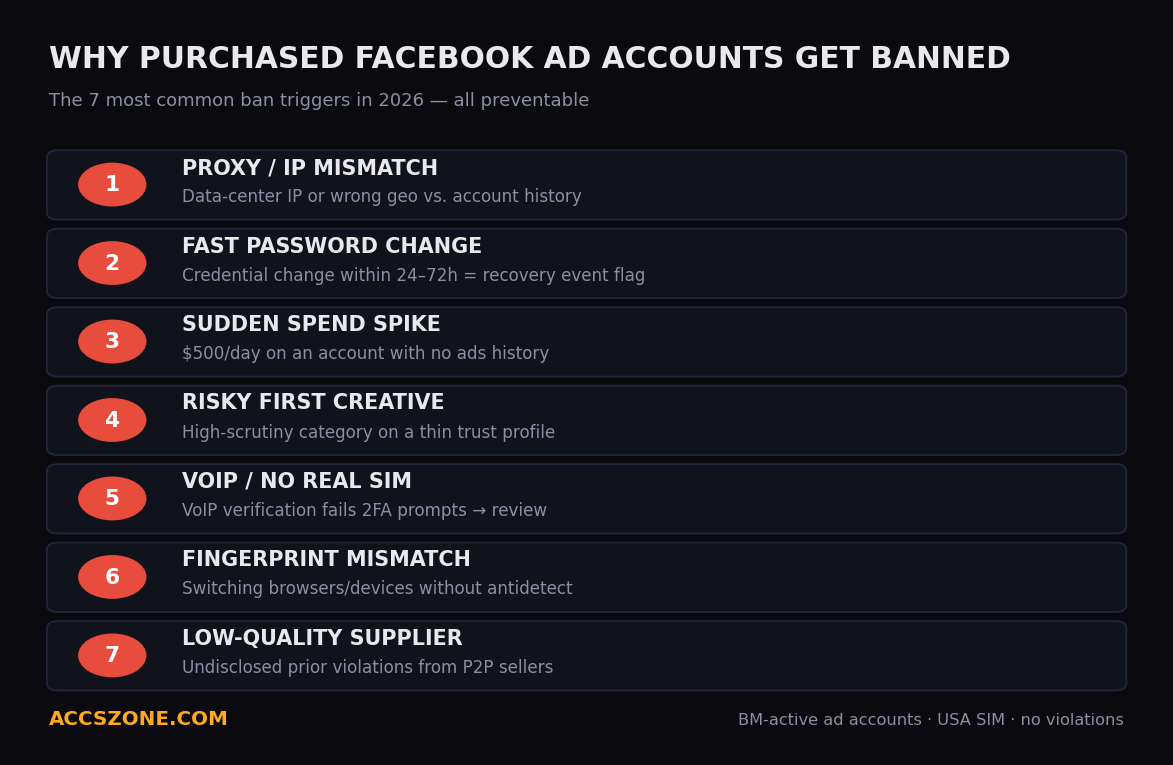
1. Proxy or IP mismatch. If an account was created in Texas and you log in from a data-center IP in Singapore, the system flags it immediately. The older the account, the more Facebook "knows" where it should come from. Logging in with a mismatched IP — especially a data-center IP — is one of the fastest ways to trigger a checkpoint or disable.
2. Fast password change. Changing the password within the first 24–48 hours of acquiring an account is a high-risk action. Facebook treats rapid credential changes as a recovery event, which often triggers identity verification prompts or a temporary lock. Wait at least 72 hours before touching the password.
3. Sudden spend spike. An account that has never run ads and suddenly launches a $500/day campaign triggers automated spend-velocity checks. Facebook's risk systems flag sharp increases in billing activity, especially on accounts with no prior ads history. Always start with a small daily budget ($5–$20) and scale gradually.
4. Policy-violating creative on a fresh account. If your first ad on a newly acquired account promotes a high-scrutiny category (supplements, crypto, lead gen, nutraceuticals), you're exposing a thin trust profile to maximum policy scrutiny. Accounts with long ad history absorb policy reviews with more resilience than new ones.
5. No 2FA or SIM verification mismatch. Accounts purchased without a real SIM verification or with a VoIP number are treated as lower-trust by Facebook's system. When prompted for phone verification, a VoIP or recycled number often fails, triggering account review.
6. Device fingerprint mismatch. Every browser session leaves a fingerprint — canvas hash, WebGL renderer, screen resolution, font list, timezone. If this fingerprint changes dramatically between sessions (because you switched browsers or computers without an antidetect setup), Facebook logs it as a new device access event.
7. Buying from low-quality suppliers. Many sellers on P2P platforms like FameSwap and SocialTradia offer accounts that have prior violations on record, weak history, or followers that were purchased. These accounts are already flagged before you receive them. Seller disclosure is inconsistent on those platforms — you often don't know what you're getting until the account fails.
Understanding these triggers is the first step. The second step is buying an account that starts with a clean, aged foundation.
What Makes an Aged Facebook Ad Account More Stable
Not all aged accounts are equal. Age alone is not what creates stability — it's the combination of age, activity pattern, verification tier, and clean violation record.
Account creation year and activity depth. An account created in 2014 that logged in regularly, had friends, and used Marketplace is fundamentally different from an account created in 2014 that sat idle. Activity depth — posts, reactions, Messenger conversations, check-ins — all contribute to what Facebook calls "established identity." The more established the identity, the more tolerance the account gets before automated systems intervene.
SIM verification with a real number. Accounts verified with a real SIM (not VoIP) carry a higher trust tier internally. When Facebook sends a 2FA prompt, a real SIM receives it cleanly. AccsZone's Facebook ad accounts are USA SIM verified — meaning the verification was done with a real US phone number, not a recycled VoIP line.
Friends and social graph. An account with 100–250 friends looks like a real person. An account with 0 friends looks like a test profile. The social graph isn't about raw friend count — it's about the legitimacy signal it sends to the integrity system. AccsZone's 2014–2016 ad accounts come with 100–250 friends pre-established.
Business Manager configuration. For agency-level ad spend, you don't just need a Facebook account — you need a Business Manager (BM) that's verified and has no prior violations. A BM-active account means the Business Manager was created from the account and is in good standing. This is the configuration agencies and media buyers need to run at scale.
No prior violations. Zero violations on record means the account has no strikes against it. Even a single prior policy warning lowers tolerance thresholds. All AccsZone ad accounts are listed as ads-eligible with no violations on record.
For the full background on how account age maps to trust scoring, spend limits, and approval speed, see our pillar guide on where to buy aged Facebook accounts in 2026.
Types of Facebook Ad Accounts (Personal, BM, Agency BM, Unlimited Spend)
Before you buy, understand what you actually need. Facebook's advertising infrastructure has several distinct account types, and each serves a different operational use case.
Personal ad account (within a personal profile). Every Facebook profile comes with a personal ad account. These have default spending limits (often $25–$50/day until trust is established), cannot be shared across a team, and are tied directly to the personal profile's trust level. Good for solo operators running low-volume campaigns.
Business Manager (BM) ad account. A BM allows you to manage multiple ad accounts, Pages, and team members from one central dashboard. BM accounts can be assigned to different payment methods, can hold multiple ad accounts, and give you the infrastructure for agency operations. This is the most commonly purchased configuration for professional media buyers.
Agency BM / Verified BM. Agency-level Business Managers have gone through Facebook's business verification process (business documents, website verification). Verified BMs receive higher spending limits, reduced checkpoint frequency, and access to certain API features. These are rarer and priced accordingly.
Unlimited spend accounts. Some high-tenure accounts — particularly those with years of consistent ad spend history — have had their spending limits removed entirely. These are the premium tier for high-volume campaigns and are valued by affiliate marketers and e-commerce operators running aggressive budgets.
Which type do you need?
| Use Case | Recommended Account Type |
|---|---|
| Solo campaigns, $50–$200/day | Personal aged (2015–2018) |
| Agency setup, team access | BM-active aged (2014–2019) |
| High-volume e-commerce, $500+/day | Verified BM or unlimited spend |
| Affiliate / high-scrutiny verticals | Aged with friends + USA SIM + BM |
| Testing creatives quickly | Fresh personal + warmup period |
AccsZone Facebook Ad Account Catalogue (2012–2023 Aged, BM Active, USA SIM Verified)
AccsZone has operated since 2024 as a direct-production marketplace — meaning every account is produced in-house, not resold from third-party sellers. This is structurally different from P2P platforms: there's no intermediary, no seller who can go offline, and no ambiguity about what you're receiving.
The Facebook ad account listings on AccsZone cover the full age spectrum from 2012 through 2023, all with the following baseline specifications:
- Business Manager active (configured and in good standing)
- USA SIM phone verification (real number, not VoIP)
- Facebook Page created within the account
- No prior policy violations
- Ads-eligible status confirmed
- Instant automated delivery post-purchase

Live product page — ad-ready Facebook account with 2 activated Business Managers, published at $25/pc with real-time stock, June 2026.
AccsZone Facebook Ad Account Tiers (2026 Live Catalogue)
| Account | Year | Friends | Additional Features |
|---|---|---|---|
| 2022 Aged Ad Account | 2022 | 100–250 | BM active, USA SIM, no violations |
| 2022 Aged Ad Account | 2022 | 250–500 | BM active, USA SIM, no violations |
| 2019 Aged Ad Account | 2019 | 100–250 | BM active, USA SIM, no violations |
| 2014–2016 Aged Ad Account | 2014–2016 | 100–250 | BM active, USA SIM, no violations |
| 2020 Aged Ad Account | 2020 | 800+ | BM active, USA SIM, no violations |
| 2015 High Friends Ad Account | 2015 | 3,500–4,000 | BM active, USA SIM, no violations |
| 2012 Aged Ad Account | 2012 | 1,750–2,000 | BM active, USA SIM, no violations |
| 2013 Aged Ad Account | 2013 | 1–50 | BM active, USA SIM, no violations |
Beyond Facebook ad accounts, AccsZone's broader catalogue covers TikTok BM accounts (single/double verified, USA/UK/Indonesia/agency tiers), LinkedIn aged accounts (50-connection, 100-connection, 500+ connection, ID verified), aged Gmail accounts (2015–2026, 150+ countries), and 50+ additional account categories — making it the only platform where a media buyer can source the full account stack in one place.
Step-by-Step: How to Set Up a Purchased Facebook Ad Account Safely
Receiving the account is only the beginning. How you onboard it determines how long it lasts.

Day-by-Day Warmup Schedule
| Day | Actions | What to Avoid |
|---|---|---|
| Day 1 | Log in via antidetect browser + residential proxy. Browse News Feed for 20–30 minutes. React to a few posts. | Do not touch Ad Manager. Do not change password. |
| Day 2 | Return for another browse session. Check Marketplace. Send 1–2 Messenger messages. | Do not create any Pages or ad accounts yet. |
| Day 3 | Create or claim a Facebook Page linked to the account. Fill in Page details. | Do not run any ads. Do not boost posts yet. |
| Day 4–5 | Post organic content to the Page (1–2 posts). Browse and engage normally. | Avoid policy-sensitive content categories. |
| Day 6 | Open Ad Manager. Set up payment method. Do not launch yet. | No campaign creation yet. |
| Day 7 | Launch first small campaign — $5–$10/day. Use a low-risk creative (brand awareness, engagement objective). | Avoid conversion campaigns on Day 7. |
| Day 10–14 | Scale budget incrementally — increase by 20–30% every 2–3 days if account remains stable. | Avoid doubling budget overnight. |
| Day 21+ | Full operational spend. Account is warmed in. | Continue with consistent proxy and fingerprint. |
Critical setup rules
- Never change the password in the first 72 hours. The original credentials are what Facebook's system recognizes. Early password changes trigger verification events.
- Use the same proxy for every session. If you used a US residential proxy from Texas on Day 1, use the same proxy — or at minimum the same city/state — for every subsequent session. IP consistency is one of the strongest trust signals.
- Always use an antidetect browser. Never log in from a regular Chrome or Firefox browser. The device fingerprint from your real browser is associated with your personal Facebook profile. Mixing fingerprints across accounts triggers anomaly detection.
- Add a payment method on Day 6, not Day 1. Adding billing too early, before the account has had organic activity in your session, is a flag pattern.
- Keep initial creatives clean. Your first campaign should use a straightforward, non-controversial creative — brand awareness for a real product or Page engagement. This gives the account a clean first ad review.
AccsZone publishes detailed antidetect browser configuration, proxy setup, and multi-account management guides in its Help Center. Live support can walk you through the setup in real time if you encounter any issues during onboarding.
Antidetect Browser Setup for Facebook Ads (Dolphin Anty / AdsPower Workflow)
An antidetect browser creates isolated browser profiles — each with a unique fingerprint (user agent, canvas hash, WebGL hash, screen resolution, fonts, timezone) — so that every account you manage appears to come from a completely different device.
This is non-negotiable for running multiple purchased Facebook accounts without cross-contamination.
Recommended tools:
- Dolphin Anty — preferred by Facebook ad buyers for its profile isolation quality and automation API
- AdsPower — widely used, strong integration with proxy providers, good for teams
Setup workflow (Dolphin Anty)
- Create a new browser profile for each Facebook account. Name it with the account's creation year and tier (e.g., "FB-2016-BM-001") for easy organization.
- Assign a proxy to the profile. The proxy should match the account's registered location. For USA-SIM accounts, use a US residential or mobile proxy. Do not use data-center IPs.
- Set timezone to match the proxy location. If your proxy is in California, the timezone should be America/Los_Angeles. Timezone mismatch between browser and IP is a detectable signal.
- Set screen resolution and canvas hash to realistic desktop values. Dolphin Anty randomizes these by default — let it do so, but verify the profile shows a plausible setup (e.g., 1920x1080 or 1440x900, not 3840x2160 which is uncommon).
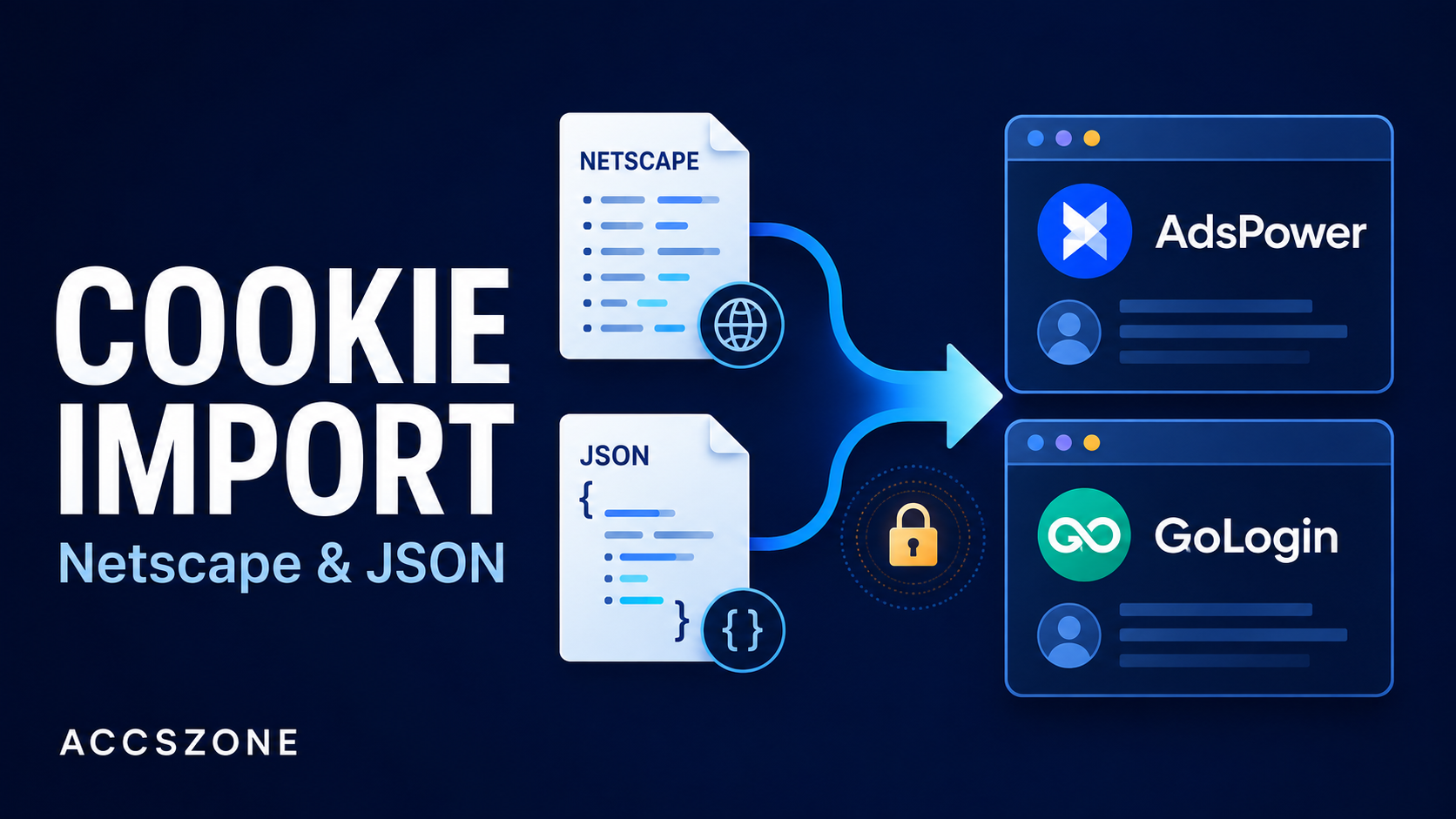
- Import cookies if provided. AccsZone's Facebook accounts often include cookies. Import these into the browser profile before the first login — this gives the session pre-existing browser history that Facebook's system reads as continuity.
- Log in only through the antidetect profile. Never open the account in any other browser or device without updating the proxy and fingerprint accordingly.
- Save the profile and reuse it. Every subsequent session for that account should use the exact same Dolphin Anty profile. This maintains fingerprint consistency across sessions.
AccsZone's Help Center article on antidetect browser setup for purchased accounts covers this workflow in detail, including how to handle 2FA during first login. The live support team can also assist with setup in real time — a significant operational advantage over platforms where you'd wait 24–72 hours for a support ticket response.
Proxy Selection for Facebook Ad Accounts (Mobile vs. Residential vs. Socks5)
Your proxy is the other half of your identity setup. Even a perfect antidetect configuration fails if the IP is flagged.

Mobile proxies (recommended). Mobile IPs come from real 4G/5G carrier networks. Facebook treats mobile IPs as the highest-trust category because real users access Facebook from phones constantly. Mobile IPs rotate naturally (carrier reassignment) which means even if one IP was flagged, the next rotation gives you a clean one. Best for: aged ad accounts, high-spend campaigns, accounts in sensitive verticals.
Residential proxies. Residential IPs come from real ISP subscribers and are treated as legitimate home connections. Lower cost than mobile, wider geographic coverage. The quality varies significantly by provider — some residential proxy networks have high flagging rates because they've been abused. Best for: warming up new accounts, low-to-medium spend campaigns.
Data-center proxies (avoid for Facebook). Data-center IPs are shared hosting IPs from AWS, DigitalOcean, Vultr, etc. Facebook flags these aggressively because they're commonly used for bot traffic. Using a data-center IP on a purchased Facebook ad account is one of the fastest ways to trigger a checkpoint. Avoid entirely for account login.
Socks5 proxies. Socks5 is a protocol, not a proxy type — it can run over residential, mobile, or data-center infrastructure. High-quality Socks5 residential proxies are a good choice for antidetect setups because they support UDP and have lower latency than HTTP proxies.
Proxy matching rules:
- USA SIM-verified account → US residential or US mobile proxy
- UK account → UK residential or UK mobile proxy
- Account with California IP history → California-based proxy
AccsZone sells dedicated mobile proxies for Facebook accounts directly — allowing buyers to source both the Facebook ad account and the matching mobile proxy from the same platform, with live support available for both products.
Comparison: AccsZone vs Other Providers for Ad Accounts
Most buyers searching for Facebook ad accounts encounter the same set of platforms: FameSwap, SocialTradia, Flippa, and G2G. Understanding the structural differences between these platforms and AccsZone matters for making a buying decision.
| Provider | Ad Account Types | BM Included | Instant Delivery | Live Support | Refund Policy |
|---|---|---|---|---|---|
| AccsZone | Personal, BM, Agency BM, Unlimited (2012–2023) | Yes (all ad account listings) | Yes — automated | 24/7 live human (minutes) | 100% replacement or refund before first login |
| FameSwap | P2P seller listings (varies) | Sometimes (seller-dependent) | No — negotiation required | Ticket-based (24–72 hours) | Escrow only — no refund policy post-transfer |
| SocialTradia | P2P seller listings (varies) | Sometimes (seller-dependent) | No — negotiation required | Ticket-based (24–72 hours) | Escrow-based, seller discretion |
| Flippa | Listed as digital assets, varies | Rarely disclosed | No — auction/negotiation | Ticket-based (24–72 hours) | Minimal — buyer beware |
| G2G | Game + social account marketplace | Rarely disclosed | Partial — seller-dependent | Ticket-based | Dispute resolution only |
Inventory certainty: On FameSwap, SocialTradia, Flippa, and G2G, each listing belongs to an individual seller. Sellers can go offline, change prices mid-negotiation, or misrepresent account specs. AccsZone's inventory is in-house — every listing reflects current stock with published prices and no negotiation.
BM disclosure: On P2P platforms, whether a Business Manager is included depends entirely on what the seller chooses to disclose — and sellers have no standardized disclosure format. AccsZone's ad account listings explicitly state BM active in every description.
Support when something goes wrong: If an account has an issue at 11pm on a Saturday, AccsZone's live chat reaches a human in minutes. On FameSwap, SocialTradia, or G2G, you file a support ticket and wait — often 24–72 hours for a first response, and longer for resolution.
Fake follower disclosure: AccsZone explicitly discloses when accounts have bot or purchased followers in the listing title or description, so buyers know exactly what they're receiving. On P2P platforms, this disclosure is rare and seller-dependent.
How AccsZone's 24/7 Support Helps When Accounts Have Issues
Even well-sourced, properly set up ad accounts encounter issues. Facebook's system generates checkpoints, 2FA prompts, ad review holds, and payment verification requests. How quickly you resolve these determines whether the account stays operational or gets disabled.
Scenario 1: 2FA prompt on first login. You log in for the first time and Facebook immediately requests 2FA via the registered phone number. With a USA SIM-verified account from AccsZone, the support team can assist with the verification process in real time — walking you through the steps, confirming the code path, and ensuring you complete the login correctly. On a P2P platform, you'd file a ticket and wait.
Scenario 2: Payment method rejection. You add a payment method and it's rejected — either because the billing address doesn't match the account region or because Facebook wants additional verification. AccsZone's support team has handled this exact scenario repeatedly and can guide you through the correct payment setup approach in minutes.
Scenario 3: Ad review hold. Your first ad gets stuck in review. Understanding whether this is a normal review delay or a policy flag is not always obvious. AccsZone's team can advise on creative adjustments or the correct escalation path based on what the hold message says.
Scenario 4: Account receives a warning. A policy warning appears. The correct response depends on the specific warning type — appealing immediately vs. waiting, adjusting active campaigns, or modifying the Business Manager configuration. Getting this wrong can convert a warning into a permanent disable. Live support that knows the platform deeply reduces that risk.
AccsZone support channels:
- Live chat on accszone.com — 24/7, human response within minutes
- Telegram: @accszone1 — direct message support
This is the operational differentiator that P2P platforms structurally cannot match. When an individual seller on FameSwap or SocialTradia goes offline, there is no fallback. AccsZone's support is institutional — always available, always staffed.
Platform Policy, Risk, and Compliance — What Buyers Should Know
This section exists because any honest guide to this market has to state the rules clearly.
Meta's Terms of Service prohibit the sale and transfer of Facebook accounts, including ad accounts and Business Managers. Purchasing an account does not change that. The practical consequence of a policy violation is platform enforcement — account restriction or permanent suspension — not legal liability in most jurisdictions. Buyers in this market are typically performance marketers and agencies who treat account suspension as a known, priced-in business risk, the same way they treat ad disapprovals or rising CPMs.
Three things follow from this that every buyer should internalize:
- No account is suspension-proof. Age, BM standing, real SIM verification, and clean history lower restriction probability; they do not eliminate it. Any seller claiming otherwise is misrepresenting the product.
- Risk allocation is standard across the industry. Sellers (including AccsZone) cover failures before first login; everything after first login — proxy mistakes, spend spikes, ad policy violations — is operational risk that sits with the buyer.
- Compliance with advertising law is separate from account sourcing. The content of the ads you run must independently comply with Meta's advertising policies and the consumer-protection laws of the markets you target, regardless of where the account came from.
AccsZone publishes this openly because informed buyers make better operational decisions — and because the buyers who succeed in this market are the ones who manage risk deliberately rather than assuming it away.
FAQ: Common Facebook Ad Account Questions
Why did my purchased Facebook ad account get disabled immediately?
The most common causes of immediate disabling are: logging in without an antidetect browser (fingerprint mismatch), using a data-center IP that Facebook has flagged, changing the password within the first 24 hours, or the account having undisclosed prior violations. If this happens with an AccsZone account before you've logged in, the replacement/refund policy applies. If you've already logged in, work through AccsZone's live support to diagnose the specific disable reason.
What is the safest age range for a Facebook ad account in 2026?
For most ad buyers, 2014–2019 accounts strike the best balance of established history and reasonable pricing. Accounts from this range have enough activity depth to absorb early campaign activity without triggering automated reviews. 2012–2013 accounts with 1,500+ friends offer the strongest trust signal but are priced accordingly.
Do I need a Business Manager (BM) to run Facebook ads?
For solo campaigns under $200/day, a personal ad account is sufficient. For agency operations, multiple clients, or campaigns above $200/day, a BM is essential — it provides account isolation, team access control, and higher spend thresholds. AccsZone's ad account listings all include BM active.
Can I run multiple Facebook ad accounts from one computer?
Not without an antidetect browser. Running multiple accounts from the same browser creates fingerprint overlap, which Facebook detects and flags as policy violation. Each account needs its own isolated browser profile with its own assigned proxy.
What type of proxy should I use for Facebook ad accounts?
Mobile proxies are the highest-trust option. US residential proxies are a solid second choice. Never use data-center IPs for Facebook account login. The proxy location should match the account's registered SIM location — for USA SIM accounts, use a US proxy.
How long does the warmup period take?
The minimum warmup before launching your first paid campaign is 7 days following the schedule outlined above. For accounts you plan to run high-budget campaigns on ($500+/day), extend the warmup to 14–21 days, scaling budget gradually.
What happens if the account gets a checkpoint after I buy it?
If the checkpoint triggers before your first login (or due to credential issues on first login), contact AccsZone's live support immediately — the pre-login protection policy covers this scenario with replacement or refund. If the checkpoint triggers after normal operational use, AccsZone's support can guide you through the appeal or recovery process.
Is it safe to use the same payment method across multiple ad accounts?
No. Facebook links payment methods across ad accounts. If one account gets disabled, a shared payment method can trigger reviews on other accounts using the same card or billing profile. Use separate payment methods for each BM setup.
How does AccsZone disclose fake or bot followers on Facebook accounts?
AccsZone includes follower quality information in the listing title or description. If an account's followers include bot or purchased followers, this is explicitly stated so buyers know before purchasing. This is a disclosure standard not consistently applied on P2P platforms like FameSwap or SocialTradia, where seller disclosure is discretionary.
What makes AccsZone different from FameSwap or SocialTradia for ad accounts?
AccsZone produces accounts in-house — no third-party sellers, no negotiation, no ambiguity about what's in the listing. All Facebook ad accounts include BM active, USA SIM, no violations, and instant automated delivery. Support is live 24/7 with responses in minutes, not 24–72 hour ticket queues. And the pre-login refund/replacement policy provides a clear safety net that P2P platforms don't consistently offer.
Get a Ready-to-Use Aged Facebook Ad Account
AccsZone's Facebook ad account catalogue covers every major tier — 2012 through 2023, BM active, USA SIM verified, no violations, instant delivery — with live human support available 24/7 to help you set up, warm up, and operate your account.
No negotiating with individual sellers. No waiting 48 hours to hear back. No ambiguity about what you're receiving.
2012–2023 tiers · USA SIM verified · No violations · 24/7 live support · Telegram @accszone1
View Ad Account Catalogue →
Also see: Where to Buy Aged Facebook Accounts in 2026 (All Types, Clear Pricing) · Mobile proxies for Facebook accounts · Antidetect browser setup guides