Instagram Account Suspended? Why It Happens, How to Appeal, and What “180 Days” Means
If you tried to log in and saw We suspended your account, you are in a defined state with a defined clock. A suspended Instagram account is one Meta has taken offline because it believes the account or its activity may break the Community Standards; you can appeal, and if you do not appeal within the window shown (180 days in most regions, 30 in some), or your appeal fails, the account becomes permanently disabled with no further review. This guide walks through what the message means, the reasons Meta publishes, why some people are suspended repeatedly or "for no reason", the exact appeal route, what the 180 days means, and what to do if the appeal is rejected or the account is gone.
What does "We suspended your account" mean on Instagram?
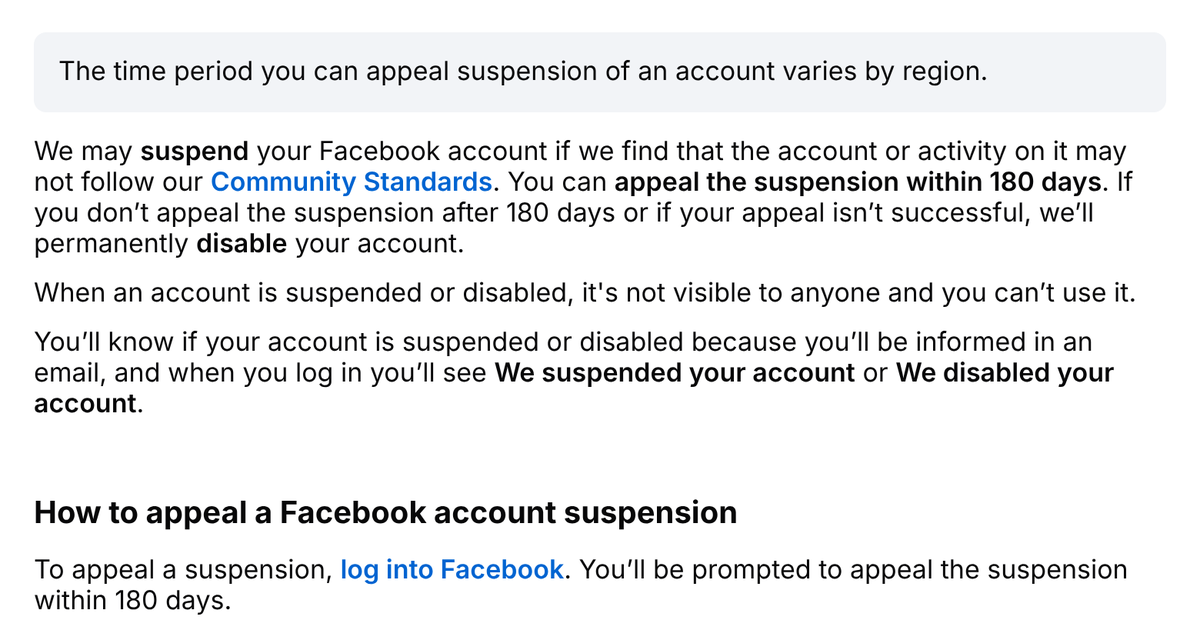
It means Meta has made the account invisible and unusable while it decides whether to disable it permanently. Meta's own definition: "We may suspend your Facebook account if we find that the account or activity on it may not follow our Community Standards. You can appeal the suspension within 180 days. If you don't appeal the suspension after 180 days or if your appeal isn't successful, we'll permanently disable your account." Instagram and Facebook run on the same account system and show the same two messages.
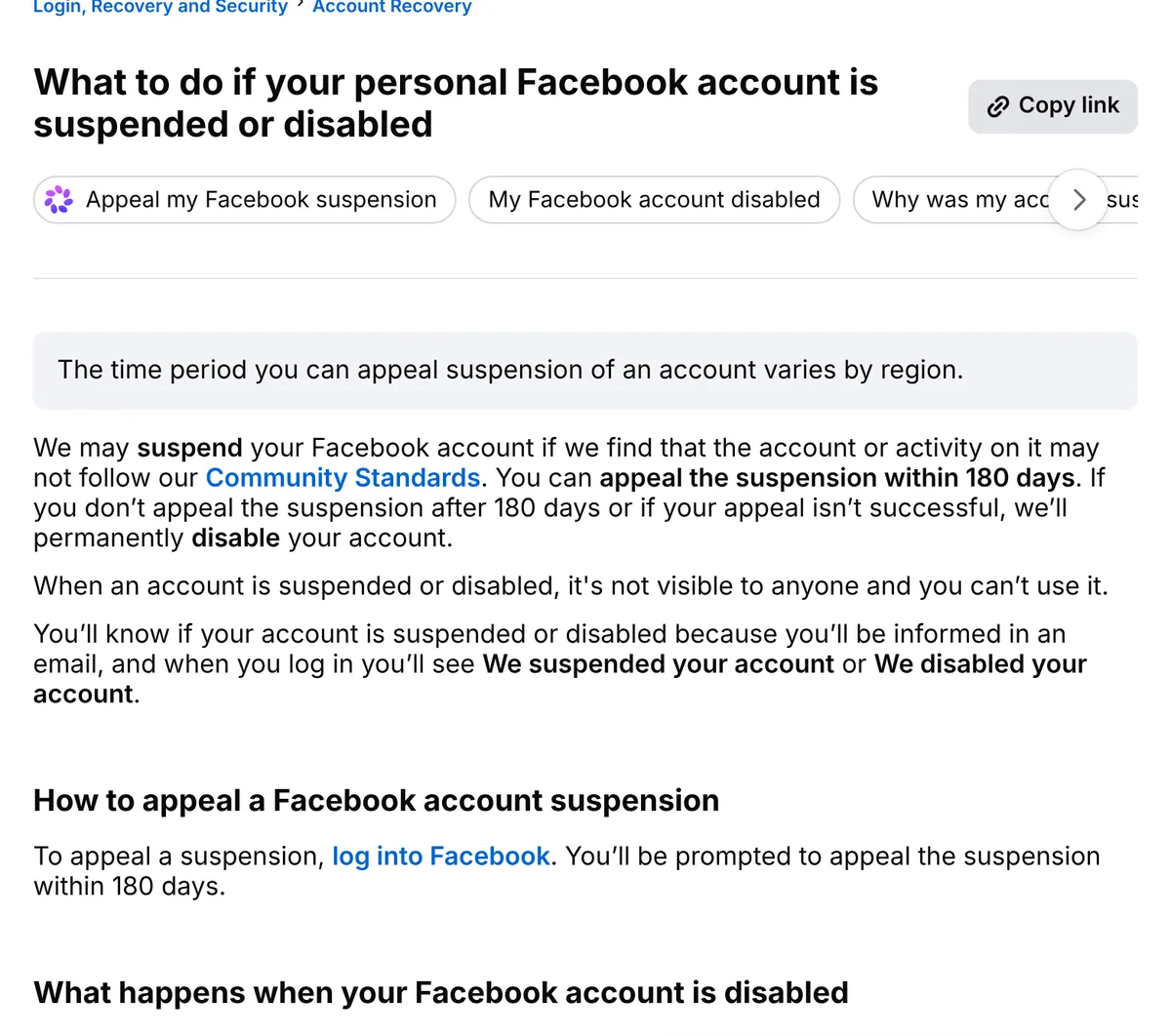
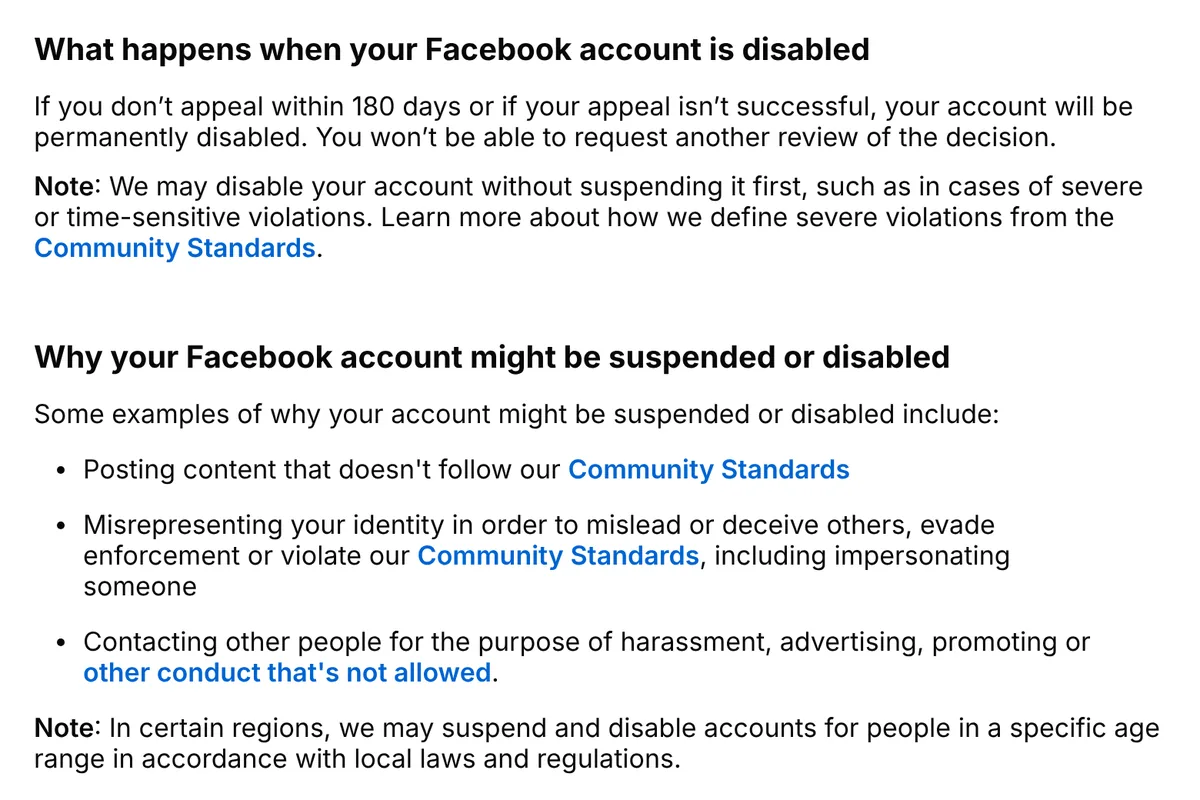
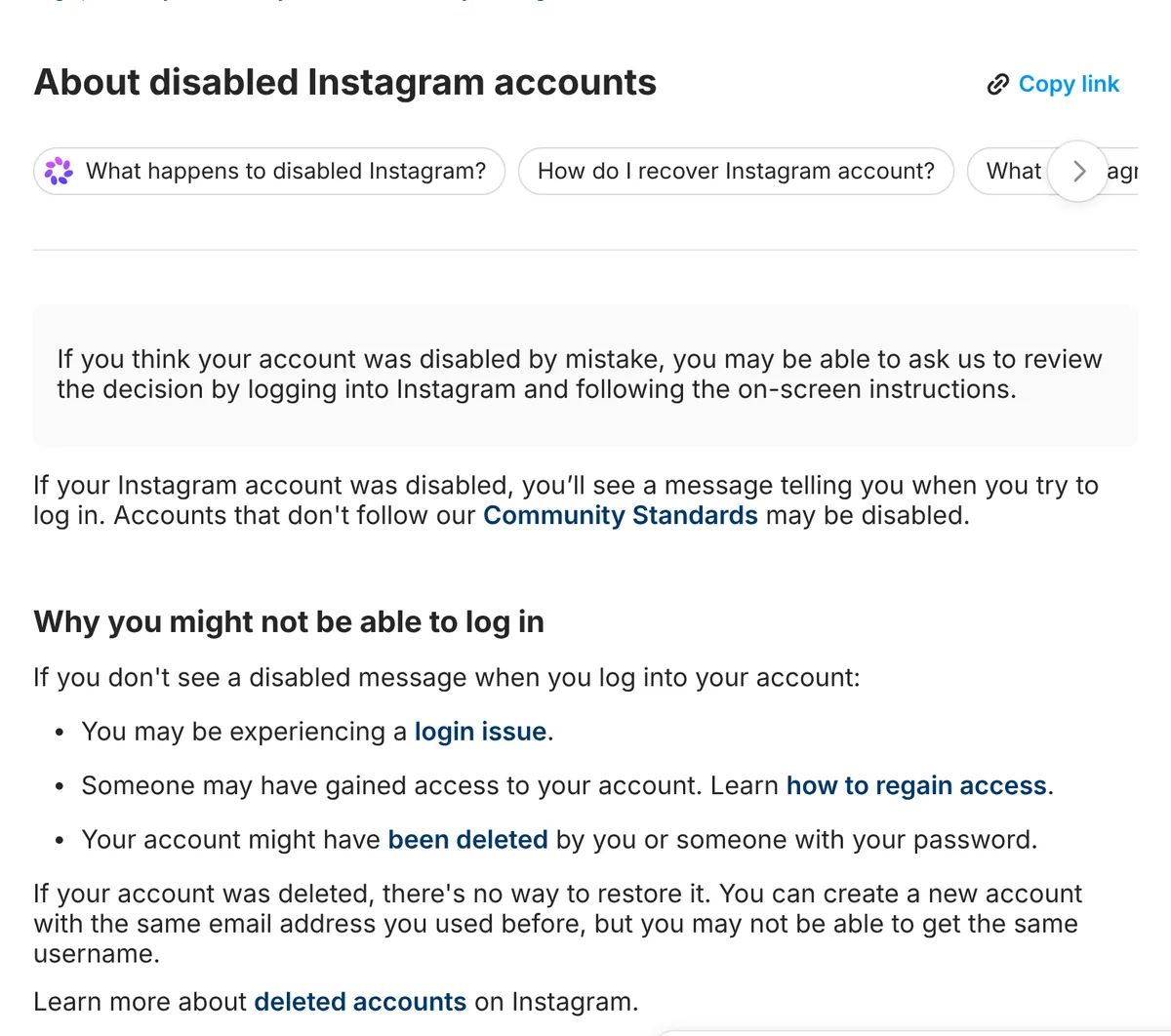
Three states are easy to confuse. Suspended is the appealable stage: "When an account is suspended or disabled, it's not visible to anyone and you can't use it." Disabled is the end state: "If you don't appeal within 180 days or if your appeal isn't successful, your account will be permanently disabled. You won't be able to request another review of the decision." Deleted is different again and is not an enforcement action: Instagram's page on disabled accounts says that "If your account was deleted, there's no way to restore it", and lists deletion by "you or someone with your password" as one reason you might not be able to log in without seeing a suspension message.
Meta also says it can skip the suspension stage: "We may disable your account without suspending it first, such as in cases of severe or time-sensitive violations." So if your login screen says We disabled your account rather than suspended, read the on-screen options carefully; Instagram's page still says that "If you think your account was disabled by mistake, you may be able to ask us to review the decision by logging into Instagram and following the on-screen instructions."
Why did Instagram suspend my account?
Meta publishes three example reasons on its suspension page: "Posting content that doesn't follow our Community Standards", "Misrepresenting your identity in order to mislead or deceive others, evade enforcement or violate our Community Standards, including impersonating someone", and "Contacting other people for the purpose of harassment, advertising, promoting or other conduct that's not allowed." A fourth, age, applies "in certain regions" under local law. The detailed rules sit in the Account Integrity standard and the Terms of Use.
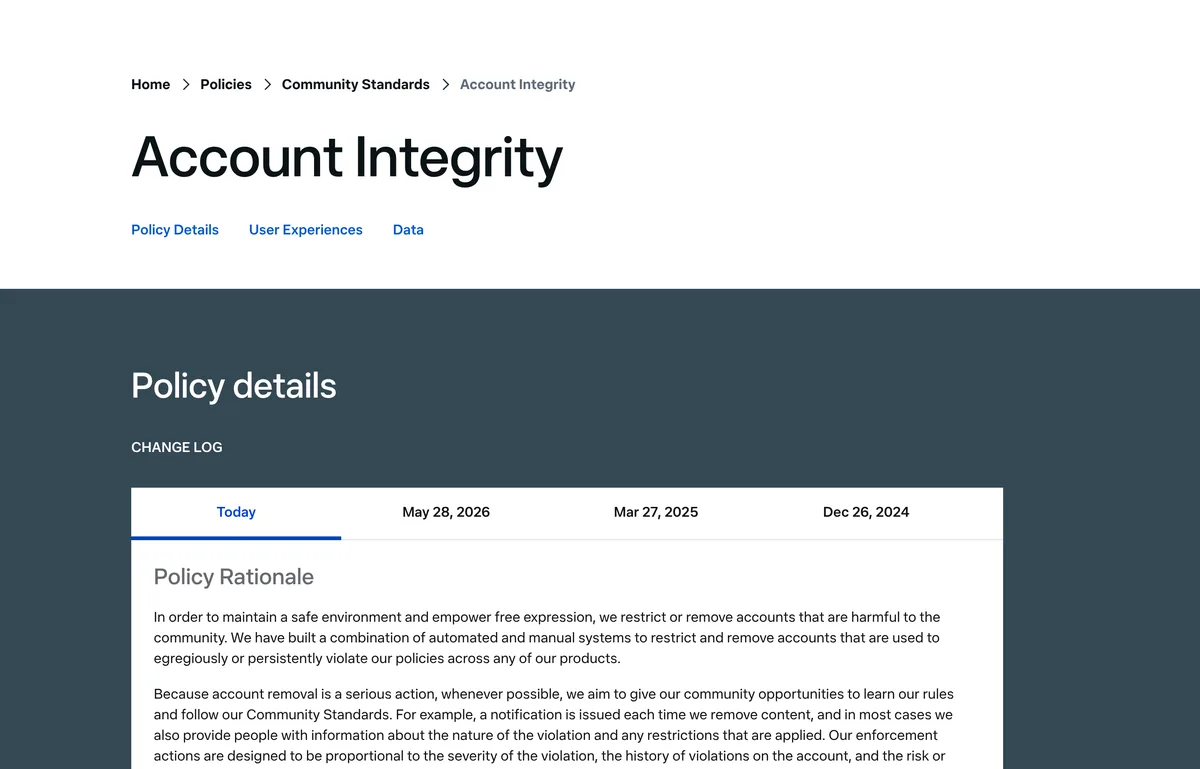
The Account Integrity policy in Meta's Transparency Center is the document that actually governs account-level action, and it is more specific than the help page. It says Meta has "built a combination of automated and manual systems to restrict and remove accounts that are used to egregiously or persistently violate our policies", and that "Continued violations, despite repeated warnings and restrictions, or violations that pose severe safety risks will lead to an account being disabled." The list of accounts Meta "may restrict or disable" includes accounts that "Persistently violate our Community Standards", accounts that "Demonstrate activity or behavior indicative of a clear violating purpose", and, for younger users, accounts that "Belong to users under 18 that persistently violate our Community Standards by posting or sharing content that is not age-appropriate".
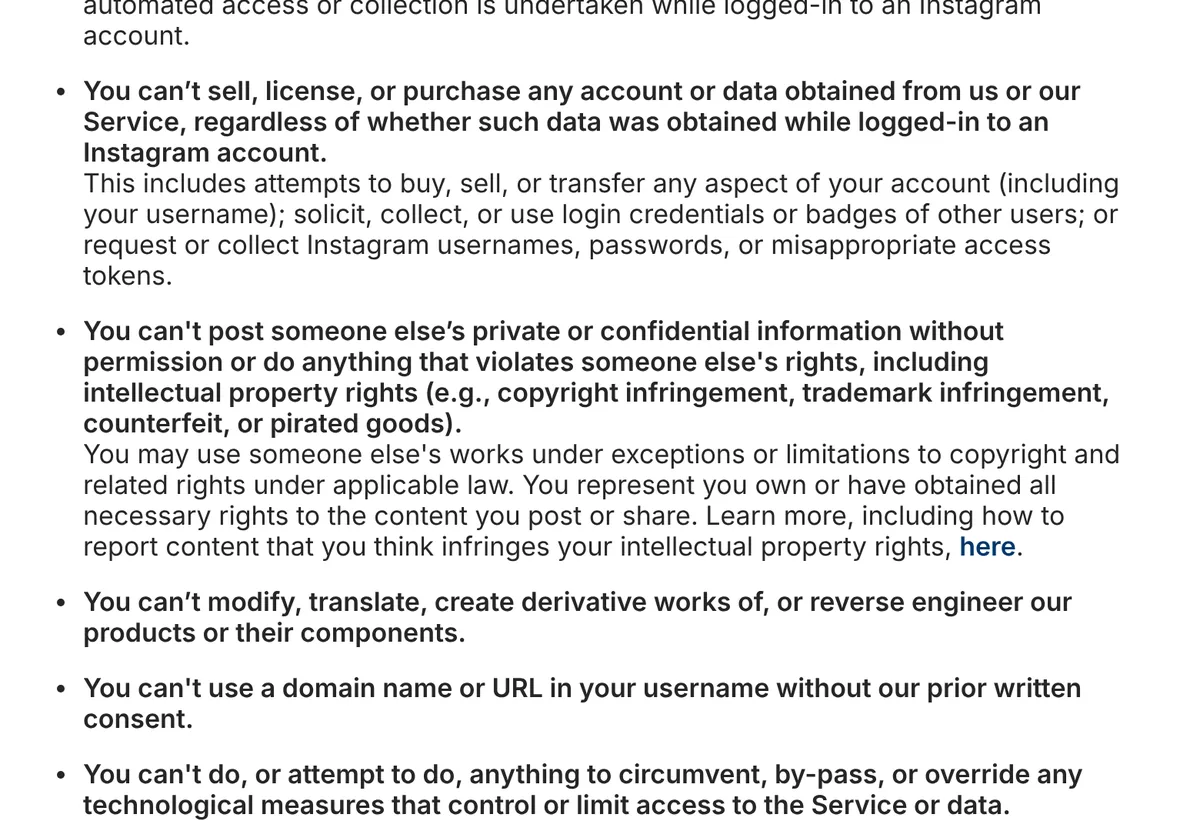
Instagram's Terms of Use add the account-level rules most people never read. Section 4.1 requires that "You must be at least 13 years old" and that "We must not have previously disabled your account for violation of law or any of our policies." Section 4.2 says "You can't impersonate others or provide inaccurate information", "You can't attempt to create accounts or access or collect information in unauthorized ways. This includes creating accounts or accessing or collecting information in an automated way without our express permission", and "You can't sell, license, or purchase any account or data obtained from us or our Service", which "includes attempts to buy, sell, or transfer any aspect of your account (including your username)". The same section prohibits "misusing any reporting, dispute, or appeals channel, such as by making fraudulent or groundless reports or appeals", which matters when you decide how to word an appeal.
Why does Instagram keep suspending my account?
Because Meta enforces against the person, not only the profile. The Account Integrity policy says Meta may restrict or disable accounts that are "Owned by the same person or entity as an account that has been disabled", "Created or repurposed to evade a previous account or entity removal, including those assessed to have common ownership and content as previously removed accounts or entities", or "Otherwise used to evade our enforcement actions or review processes". A new account that looks like the old one inherits the old decision.
The policy goes further for groups of accounts. Meta may act on accounts that demonstrate "Close linkage with a network of accounts or other entities that violate or evade our policies" or "Coordination within a network of accounts or other entities that persistently or egregiously violate our policies". In plain terms: if one account in a set is disabled for a real violation, the others that share its ownership signals are at risk, and each new replacement created from the same context shortens the time to the next suspension. The policy also names the situations where Meta "may request additional information about an account to ascertain ownership and/or permissible activity": "Compromised accounts", "Creating or using an account or other entity through automated means, such as scripting", and "Empty accounts with prolonged dormancy". If your accounts are repeatedly suspended shortly after creation, the first two are the likeliest triggers.
The honest advice is the opposite of what most "fix" guides say. Do not create a replacement account while an appeal is open; the Terms say Meta "must not have previously disabled your account" as a condition of using Instagram at all, and the Account Integrity policy treats a replacement as evasion. Appeal the original account first, and only decide what to do next once that decision is final.
Instagram suspended my account for no reason: the CSE and "account integrity" false flags
Since mid-2025 large numbers of people have reported suspensions that cite Meta's policy on "Child Sexual Exploitation, Abuse, and Nudity" (CSE for short) or "account integrity" with no content they can identify. Meta has not published an explanation. TechCrunch reported the wave on 16 June 2025, noting that "Meta has so far not offered an on-record statement"; by November 2025 CBS News Philadelphia reported that "Nearly 50,000 users who say they've been wrongly banned have signed" an online petition.
What is documented. TechCrunch (16 June 2025, Sarah Perez) reported that users said they "are being falsely banned for serious offenses, including CSE (child sexual exploitation)", that a Change.org petition then had "over 4,000 signatures", and that "To date, Meta has not publicly acknowledged the issue." CBS News Philadelphia (17 November 2025) covered a gym owner whose accounts were suspended under the "community standards on child sexual exploitation, abuse and nudity" policy; she "suddenly had access to her accounts again" after the interview "but still no explanation", and the station reported that it "asked Meta about its enforcement and appeal process but didn't get a response." CBS News Miami (15 January 2026) followed a business owner locked out on 24 November whose screen showed a 30-day appeal window rather than 180; after an appeal and press contact, "On New Year's Eve, she received a call from Meta" and she regained access about a week after 2 January. A Meta spokesperson "could not disclose the reason for the account's deactivation, citing privacy concerns."
What CSE means on the notice. It is the name of a Community Standard, not a verdict about you. The policy's own rationale begins "We do not allow content or activity that sexually exploits or endangers children. When we become aware of apparent child exploitation, we report it to the National Center for Missing and Exploited Children (NCMEC), in compliance with applicable law", and the Account Integrity policy explains that enforcement runs through "a combination of automated and manual systems". A false positive from the automated side produces exactly the experience people describe: a serious-sounding category, no identifiable post, and an appeal that is decided quickly. None of the sources above describes a published fix other than appealing, waiting, and in some reported cases escalating through the press or a regulator; treat anyone selling a guaranteed CSE "unban" with suspicion.
How to appeal a suspended Instagram account
The only official route is inside the login flow. Meta's instruction is one line: "To appeal a suspension, log into Facebook. You'll be prompted to appeal the suspension within 180 days." Instagram's page says the same for its accounts: "you may be able to ask us to review the decision by logging into Instagram and following the on-screen instructions." There is no public email address or ticket form for suspensions; anything that asks you to pay or to hand over your password is not Meta.
- Log in on the device and network you normally use. Use the app or instagram.com with the account's email or username and password. The suspension screen, not the Help Center, is where the appeal button lives.
- Read the notice and the day count. Note the policy named and the number of days shown; Meta says "The time period you can appeal suspension of an account varies by region", and reported cases show 30 days as well as 180.
- Choose the option to disagree with the decision. Follow the on-screen prompts to the end. Meta's Help Center has a dedicated "Confirm Your Identity" section under Account Recovery, and people who have been through the process report being asked for a photo ID or a short video selfie; prepare both before you start so the flow is completed in one sitting.
- Write the appeal plainly and once. State that you believe the decision was made in error, name the policy shown, and say which content or activity you think triggered it if you know. The Terms prohibit "making fraudulent or groundless reports or appeals", so do not invent a story and do not submit the same appeal from several devices.
- Watch the email on the account. Meta says "you'll be informed in an email" when an account is suspended or disabled, and decisions arrive the same way. Check spam, and do not click links in any message that asks for your password.
- Do not open a replacement account while you wait. See the previous section: a new account "Created or repurposed to evade a previous account or entity removal" is itself a listed reason for disabling.
- If you can still log in but features are missing, use Account Status instead. That is a restriction, not a suspension (next section).
How long does an Instagram appeal take?
Meta does not publish a review time for account suspensions. Reported outcomes range from minutes (people who uploaded an ID and were back in the same day) to weeks (the CBS News Miami case: locked out 24 November, appeal submitted, a call from Meta on 31 December, access restored about a week after 2 January). The only hard deadline in the process is yours, not Meta's: the appeal must be filed inside the window shown on your screen.
While you wait there is nothing to "re-submit". The suspension page describes a single prompt, and Meta's Terms treat repeated groundless appeals as misuse of the channel. Use the time to secure the email and phone number attached to the account, because if Meta asks for identity confirmation it will go to those, and to make sure nobody else is logging in from the account's saved sessions.
What does "180 days" mean on a suspended Instagram account?
It is the appeal window, counted from the suspension, after which Meta permanently disables the account: "If you don't appeal the suspension after 180 days or if your appeal isn't successful, we'll permanently disable your account." It is not a 180-day ban that lifts on its own. Doing nothing for 180 days does not restore the account; it ends it. Meta also notes that "The time period you can appeal suspension of an account varies by region", which is why some notices show 30 days.
Two consequences follow. First, an account you no longer want back still deserves an appeal if you ever want the username, the email or the phone number free to use again, because a permanently disabled account keeps them. Second, "180 days" on a notice that cites CSE or account integrity is the same window as any other suspension; the policy named does not change the clock, only the seriousness of the category, which is why appeals in those cases should be filed immediately rather than left to the end of the window.
Suspended vs disabled vs deactivated vs deleted Instagram account
Suspended and disabled are Meta's decisions; deactivated and deleted are yours. Suspended is appealable within the window shown. Disabled is permanent, with no further review. Deactivated is a pause you choose in settings: Instagram's deletion page says "If you'd just like to take a break, you can temporarily deactivate your profile instead." Deleted is a request you make that completes after a 30-day cancellation period, and "may take up to 90 days" to finish.
| State | Who decides | What you see | Can it come back? | Meta's wording |
|---|---|---|---|---|
| Suspended | Meta | "We suspended your account" at login, plus an email | Yes, by appeal inside the window (180 days in most regions) | "We may suspend your Facebook account if we find that the account or activity on it may not follow our Community Standards." |
| Disabled | Meta | "We disabled your account" at login | No: "You won't be able to request another review of the decision." | "We may disable your account without suspending it first, such as in cases of severe or time-sensitive violations." |
| Deactivated | You | Profile hidden; normal login screen | Yes, by logging in again | "If you'd just like to take a break, you can temporarily deactivate your profile instead." |
| Deleted | You (or someone with your password) | Normal login screen; account not found | Only by cancelling within the 30-day window; after that "there's no way to restore it" | "After 30 days of your profile deletion request, your profile and all your information will be permanently deleted" |
| Restricted | Meta | You can log in, but some features are missing | Yes, via Account Status | "View certain features on Instagram that you can no longer use and take action to resolve the issue" |
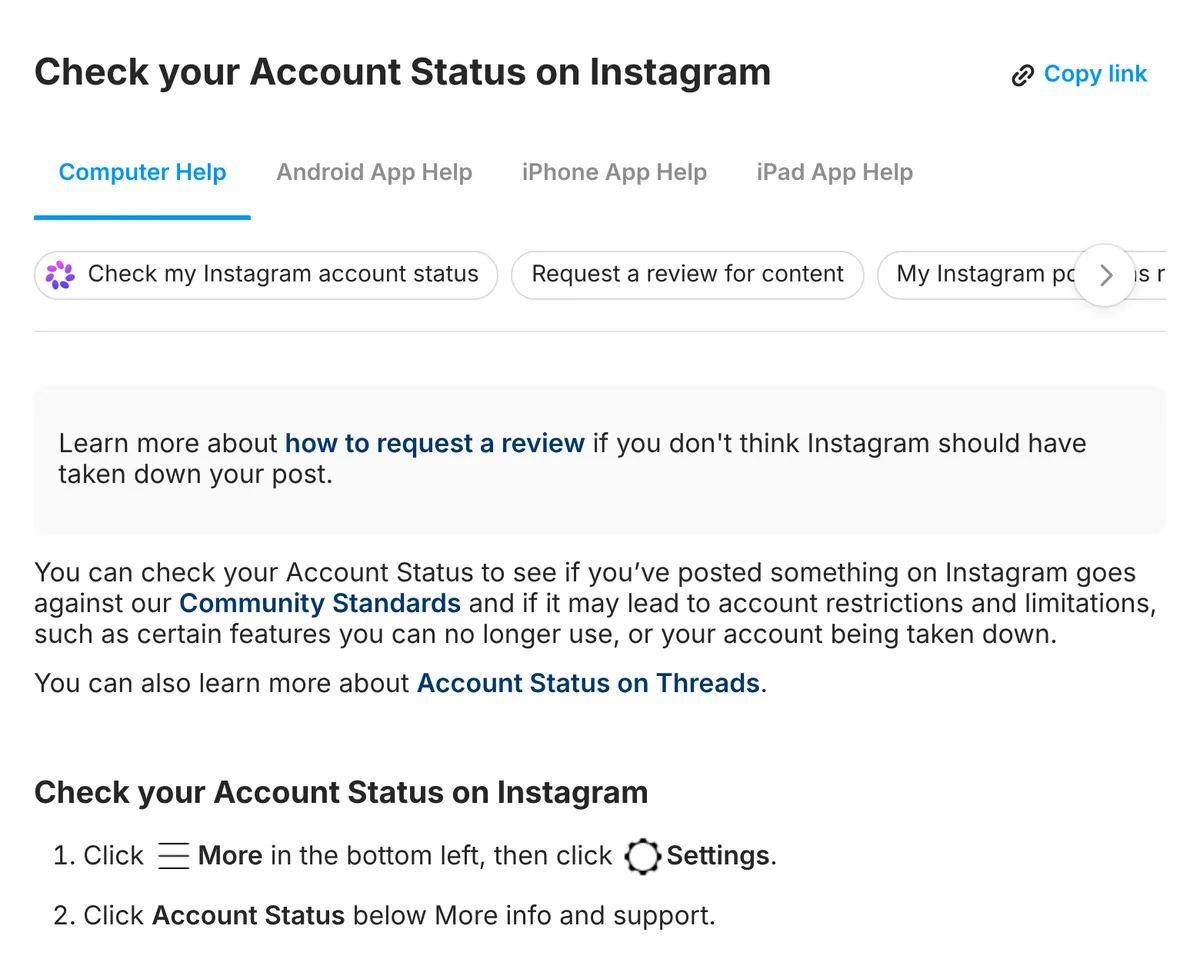
A note for people who searched "how to suspend my Instagram account": Instagram has no user-side "suspend". What you want is deactivate, reached through Accounts Center under "Deactivation or deletion", and it keeps everything until you log back in. The fifth row in the table, restriction, is where a lot of "suspended" searches really belong: you can still log in, but a feature is locked. Instagram's Account Status page is the tool for that: "You can check your Account Status to see if you've posted something on Instagram goes against our Community Standards and if it may lead to account restrictions and limitations, such as certain features you can no longer use, or your account being taken down." It also warns, "If you repeatedly post content that is removed for going against our Community Standards, you may lose access to your account. Note: In most cases, you'll get a warning before losing access to your account."
Instagram appeal rejected: what options are left?
After a failed appeal Meta's position is final for that account: "You won't be able to request another review of the decision." The remaining routes are all indirect and none is guaranteed: the Oversight Board (currently for content decisions, with a 15-day limit), priority support through a Meta Verified subscription, a complaint to a data-protection or consumer regulator in your country, press attention, and, if the account was hacked before the suspension, the hacked-account recovery flow rather than the appeal flow.
What each one actually is. The Oversight Board page on Instagram's Help Center says "There are two types of content decisions you can appeal to the Oversight Board: a decision about your content or a decision about content by others that you've reported", that you "must first go through the request a review process", and that "you have 15 days from when the decision was made to appeal to the Oversight Board." It adds that "not all content and content decisions will be eligible for appeal, but we're adding more options", so check the page for the current scope rather than assuming account suspensions are covered. Meta Verified includes priority customer support; TechCrunch noted in June 2025 that Meta Verified offers "priority access to customer service", and users in that report said they had no other direct way to reach Meta. Press and regulators are the route in both CBS cases above, where access returned after the newsroom contacted Meta. If someone else changed your email or password before the suspension, Instagram's disabled-accounts page points you to a different path: "Someone may have gained access to your account. Learn how to regain access."
What is not an option: paying a stranger who promises an "insider" at Meta, sending your password to a "recovery agent", or filing dozens of identical appeals from new accounts. The first two are how suspended people get robbed; the third is listed misuse of the appeals channel.
How to check if an Instagram account is suspended (from the outside)
From outside, Instagram shows the same "Sorry, this page isn't available" screen for a suspended, disabled, deactivated, deleted or renamed account, so a profile URL alone cannot tell you which. What you can do is check whether the username currently resolves to a live profile, note the date it joined and the country Instagram lists, and re-check later. Meta's own statement is that a suspended or disabled account "is not visible to anyone".
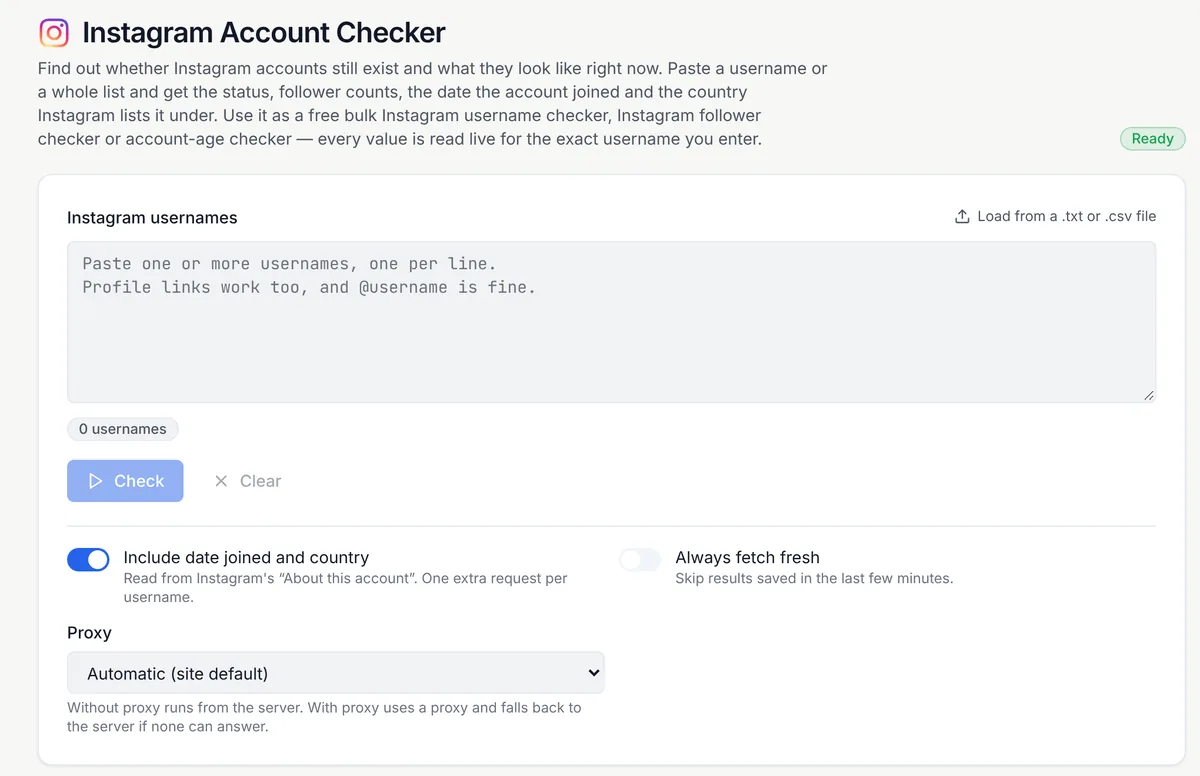
If you manage several accounts, or you have bought one and want to confirm it is live before you log in, a username checker saves the guessing. The AccsZone Instagram account checker takes one username or a list, reports whether each account currently exists, and reads the follower count, the "date joined" and the country from Instagram's "About this account" panel; it does not log in to the accounts and does not tell you why a profile is unavailable, because Instagram does not expose that. Use it to catch a dead account before your first login, and to separate "renamed" from "gone" by searching the new handle.
If the account is gone: what to check before buying an Instagram account
Start by reading the rule you would be working around. Instagram's Terms say "You can't sell, license, or purchase any account or data obtained from us or our Service", including "attempts to buy, sell, or transfer any aspect of your account (including your username)", and the Account Integrity policy allows Meta to disable accounts "Owned by the same person or entity as an account that has been disabled". A purchased account is a Terms risk, not a criminal one in most countries, and the risk is carried by how the account is used after purchase.
If you decide to proceed anyway, the difference between a listing that survives and one that is suspended in a week is disclosure. A usable listing states the registration country and whether the account was made from a residential IP there, whether the email address is included and which provider it is, whether 2FA is enabled and the key is delivered, whether browser cookies are included so the first login looks like a returning session, whether the profile is empty or partly filled, and what the replacement window is. A listing that hides any of those is asking you to buy the suspension risk blind.
- Registration country and IP stated. Log in from a residential or mobile connection in that country, with the device time zone matched. Check your own connection first with the free tools in our IP score check guide.
- Email access included. "Email not included" means you cannot receive Instagram's confirmation codes or security emails; "email address is included (outlook.com/hotmail.com)" means you can.
- 2FA key delivered, not just "2FA enabled". Paste the key into a code generator such as 2fagen.com to produce the six-digit login code; without the key a 2FA account cannot be opened.
- Cookies included if you want a quiet first login. Importing the session cookies into a dedicated browser profile is how the first login avoids a fresh-device challenge; our anti-detect browser comparison covers one-profile-per-account setups.
- Profile state disclosed. "Account is empty (no posts, no profile picture)" and "Profile Picture + 3 Posts" are different products; pick the one that matches what you will do next, and do not change everything in the first hour.
- Replacement window read before paying. Most marketplaces replace only accounts that fail before your first login, inside a stated window; test immediately on delivery.
- One account per device profile and connection. The Account Integrity policy's network rules are the reason a batch logged in from one place is treated as one actor.
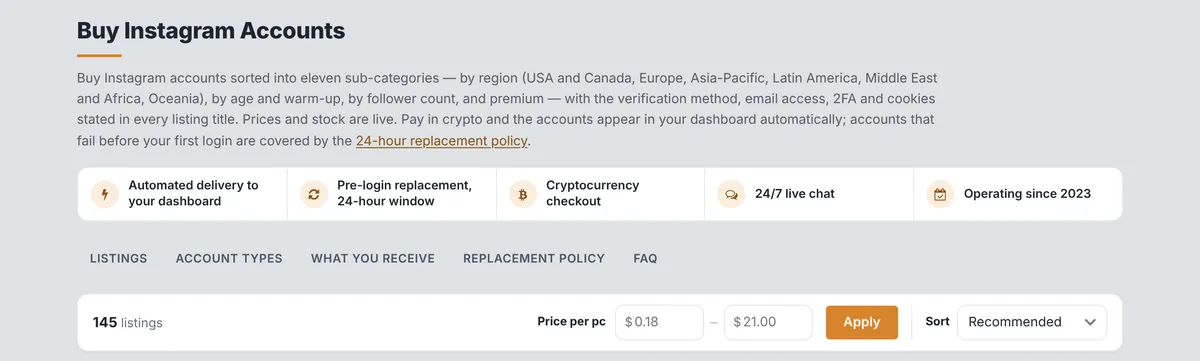
AccsZone is the worked example because its Instagram catalogue is built around exactly those disclosures. The Buy Instagram Accounts category holds 145 listings sorted into eleven sub-categories by region (USA and Canada, Europe, Asia-Pacific, Latin America, Middle East and Africa, Oceania), by age and warm-up, by follower count and premium, with the verification method, email access, 2FA and cookies stated in every title; stock and price are live, delivery is automatic to your dashboard after a crypto payment, and accounts that fail before the first login are covered by a 24-hour replacement policy. Read the title against the seven points above and you have done the check that most suspended-in-a-week buyers skipped.
Instagram account suspended FAQ
Why does Instagram keep suspending my account?
Because Meta enforces against the owner, not just the profile. Its Account Integrity policy allows it to disable accounts “Owned by the same person or entity as an account that has been disabled” and accounts “Created or repurposed to evade a previous account or entity removal”. A replacement account made from the same device, connection and details inherits the earlier decision, and each new one is suspended faster.
How long does an Instagram suspension last?
A suspension does not expire on its own. Meta gives you a window to appeal, 180 days in most regions and 30 in some, and if you do not appeal in time or the appeal fails, the account is permanently disabled. Appealing is the only action that ends a suspension in your favour.
Can I get my Instagram account back after suspension?
Yes, if the appeal succeeds. Log in, follow the on-screen prompt to disagree with the decision, complete any identity confirmation, and wait for Meta's email. If Meta rejects the appeal, it says you “won't be able to request another review of the decision”; remaining routes are indirect (Oversight Board for eligible content decisions, Meta Verified support, regulators, press).
What does CSE mean on an Instagram suspension?
CSE stands for the Community Standard on Child Sexual Exploitation, Abuse, and Nudity. It names the policy the automated or manual system believes was broken, not a finding about you. Since mid-2025 many users have reported CSE suspensions with no identifiable content and Meta has not published an explanation; the route is the same appeal, filed immediately.
What is the difference between a suspended and a disabled Instagram account?
Suspended is the appealable stage: the account is hidden and unusable while Meta decides. Disabled is the final stage after a failed or missed appeal, with no further review. Meta can also disable an account “without suspending it first, such as in cases of severe or time-sensitive violations”.
How many days do I have to appeal an Instagram suspension?
Meta's suspension page says you “can appeal the suspension within 180 days”, and also that “The time period you can appeal suspension of an account varies by region”; reported notices have shown 30 days. Use the number on your own screen and file the appeal as soon as you see it.
Can I make a new Instagram account after being suspended?
Meta's Terms require that it “must not have previously disabled your account” as a condition of using Instagram, and the Account Integrity policy lists accounts created to evade a previous removal as disable-able. Appeal the original account first; opening a replacement while the appeal is open can cost you both.
How do I suspend my own Instagram account temporarily?
Instagram has no user-side “suspend”. The feature you want is deactivation: Instagram says “If you'd just like to take a break, you can temporarily deactivate your profile instead”, reached from Accounts Center under “Deactivation or deletion”. Your profile is hidden until you log in again; nothing is deleted.
Sources and method. Meta Help Center, "What to do if your personal Facebook account is suspended or disabled" (facebook.com/help/103873106370583); Instagram Help Center, "About disabled Instagram accounts" (help.instagram.com/366993040048856), "Check your Account Status on Instagram" (help.instagram.com/338481628002750), "Appeal Instagram's content decision to the Oversight Board" (help.instagram.com/675885993348720), "Permanently delete or deactivate your Instagram profile" (help.instagram.com/370452623149242) and Instagram Terms of Use (help.instagram.com/termsofuse); Meta Transparency Center, Community Standards on Account Integrity (change log shows an update dated 29 May 2026), Authentic Identity Representation and Child Sexual Exploitation, Abuse, and Nudity. News: TechCrunch, "Instagram users complain of mass bans, pointing finger at AI", 16 June 2025; CBS News Philadelphia, 17 November 2025; CBS News Miami, 15 January 2026. All pages read on 26 November 2026; quotations are verbatim. Screenshots are of the public help and policy pages, the public AccsZone Instagram category and the public AccsZone Checker page on the same date; no logged-in screens or personal data appear. No prices are quoted because they change with stock. Nothing here is legal advice.