How to Use Aged Social Media Accounts Without Getting Banned (2026 Setup Guide)
You just bought five aged Facebook accounts for your ad campaigns. You log into the first one from Chrome, change the profile picture, and start setting up Business Manager. Twenty minutes later, disabled. You try the second one. Same thing. By the third account, you realize the problem isn't the accounts. It's how you're logging into them.
This is the most expensive mistake people make after purchasing social media accounts, and it happens every single day. The accounts might be perfectly fine: aged, warmed up, with real activity history. But the moment you access them from a regular browser on your home IP, the platform's detection system sees something that doesn't add up. A profile active in Texas for three years suddenly logs in from a different location, on a device it has never seen, using a browser fingerprint shared with four other accounts.
The rules are the same across Facebook, Gmail, Instagram, TikTok, and any other platform. This guide breaks down what platforms actually detect, why regular browsers get accounts killed, and the setup that keeps purchased accounts alive long-term.
What Platforms Actually Detect (and Why Regular Browsers Fail)
Most people assume platforms only track your IP address. Change the IP with a VPN and you're fine, right? Not even close.
Modern platforms like Facebook, Google, and Instagram use a technique called browser fingerprinting. Every time you open a browser, the website quietly collects dozens of data points about your device: screen resolution, installed fonts, graphics card rendering patterns (called canvas and WebGL fingerprints), timezone, language settings, and even how your CPU processes certain calculations.
Combined, these data points create a unique device signature that persists across IP changes. Your browser fingerprint stays the same no matter what IP address you use.
So when you log into five different accounts from the same Chrome browser, even with five different proxies, every platform sees the same fingerprint behind all five accounts. The system links them instantly. If one gets flagged, the rest follow.
This is why VPNs and incognito mode aren't enough. They change your IP but leave your fingerprint untouched, which is how platforms link multi-account setups even when proxies are in use.
Each major platform has its own layer of detection on top of fingerprinting:
Facebook & Meta
One of the most aggressive detection systems. Tracks device fingerprints, login location history, behavioral patterns, and even typing speed. Designed to identify account takeovers.
Google & Gmail
Ties account trust heavily to device history. A Gmail account accessed from one device for two years that suddenly appears on a new machine triggers an immediate security challenge.
Shares Meta's detection infrastructure and adds action-rate limits. Log in from an untrusted device and immediately start engaging, and the account gets restricted within hours.
TikTok
Has ramped up fingerprint detection significantly, especially against accounts sharing device characteristics or showing automated behavior patterns.
The pattern is consistent: platforms don't just check what you do. They check where and how you do it, down to hardware-level signals that can't be faked by clearing cookies or switching to a private tab.
The Two Things That Determine Whether a Purchased Account Survives
From handling 10,000+ accounts at AccsZone across Facebook, Instagram, Gmail, TikTok, and 25+ other platforms, two factors consistently decide whether a purchased account survives long-term.
1. Account Quality: Where You Buy Matters
Not all accounts are created equal. There's a massive difference between a bot-generated account created yesterday and a handmade account built over months with realistic activity.
The best accounts share these characteristics:
- Consistent activity history that looks natural, not 500 friends added in one day
- Created from clean residential IPs, not data centers that platforms have already blacklisted
- Complete profile information with real-looking photos, bio details, and organic connections
- Never recycled or resold to multiple buyers (one account, one owner)
- In-house production by a real team rather than mass-generated by scripts
AccsZone — Handmade Accounts, Built In-House
AccsZone specializes in handmade, properly aged accounts across 30+ platforms including Facebook, Instagram, Gmail, TikTok, LinkedIn, YouTube, Reddit, Twitter/X, and others. Every account is created and maintained by a dedicated team rather than generated by automation, which results in higher trust scores and longer account lifespans.
- 24/7 live chat for verification challenges that hit at 2 AM
- In-house production with individual quality checks on every account
- Replacement guarantee if something goes wrong on your end
- 10,000+ accounts in stock across all platforms with instant delivery
AccsZone accounts are created manually on residential IPs, which avoids the pattern recognition flags that come with headless browser automation. That's why they hold up after first login when cheaper bot accounts get killed within days.

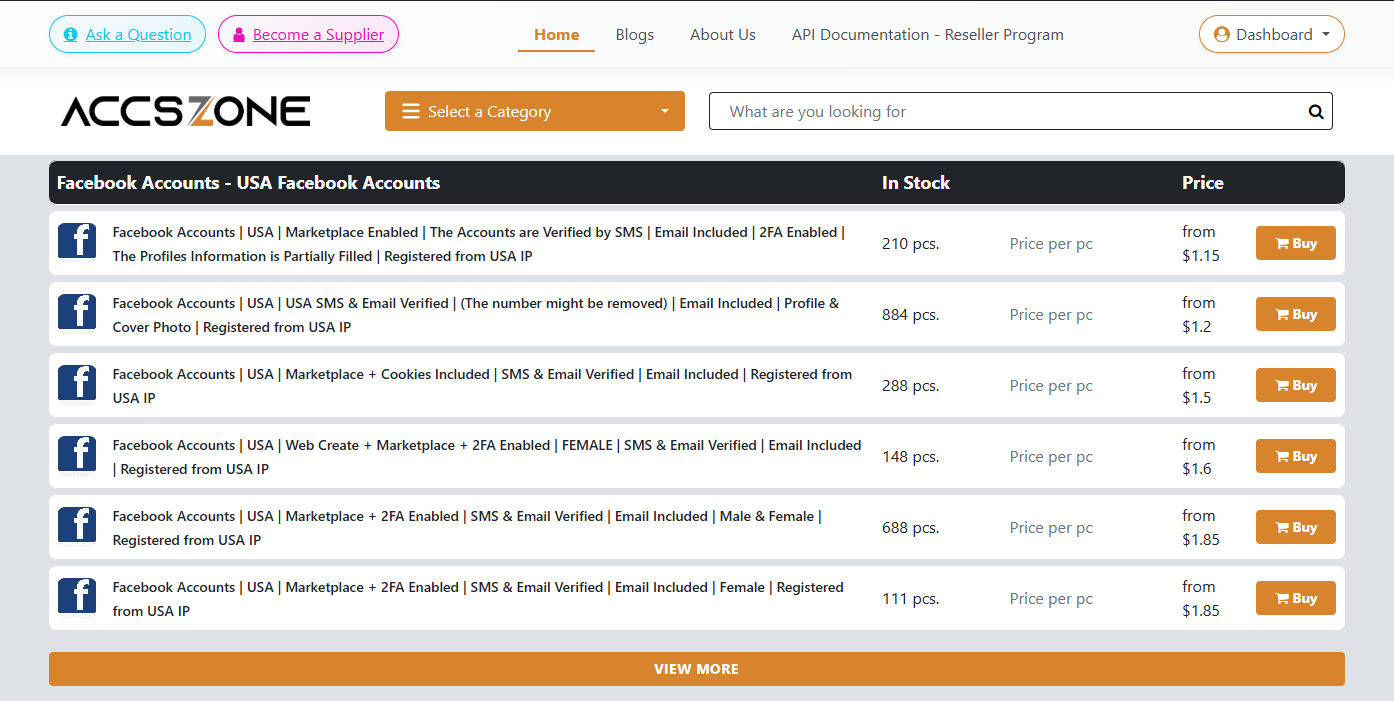
Live AccsZone catalog: aged Facebook accounts from 2010 to 2024 with real-time stock and pricing
2. Browser Environment: The Part Most People Skip
This is where most buyers lose their accounts. You spend money on quality accounts, then log into all of them from the same Chrome browser. Every platform sees the same fingerprint behind every account. Game over.
Each account needs to exist in its own isolated browser environment with a unique fingerprint. Not a different tab. Not a different Chrome profile. A separate browser instance with its own canvas fingerprint, WebGL hash, user agent, timezone, language, screen resolution, and cookie storage.
This is what an anti-detect browser does. Tools like AdsPower (used by 9M+ users globally) create independent browser profiles, each with its own isolated fingerprint, so platforms see every account as a separate user on a separate device.
Setting Up Purchased Accounts the Right Way: Step-by-Step
Here's the workflow that keeps accounts alive. No shortcuts, no guesswork.
1Create Browser Profiles Before You Log In
Before you touch any account credentials, create a dedicated browser profile in your anti-detect browser for each account. This is non-negotiable.
- User Agent: match the platform and region of the account. If created on Windows in the US, don't set up a macOS profile with a German timezone.
- Timezone & Language: must align with the account's creation region. A US-created account needs English language and a US timezone.
- Screen Resolution: use common resolutions. Unusual screen sizes stand out in detection systems.
- Canvas & WebGL: let your anti-detect browser generate unique fingerprints automatically.

AdsPower profile setup with General, Proxy, Platform, and Fingerprint tabs — each profile gets its own unique browser identity
2Assign a Dedicated Proxy to Each Profile
Every account profile needs its own residential proxy. Never share a proxy between multiple accounts.
Residential proxies route traffic through real household IP addresses, making your connection look legitimate. Datacenter proxies are cheaper, but platforms identify them easily, and using one is a fast track to a flag.
Rule: match the proxy location to the account's history. If the account was built on US activity, use a US residential proxy. Keep it consistent.
3Configure Platform and Fingerprint
In your browser profile's Platform section, select the matching site from the dropdown, or choose "Other" and paste the URL. Then customize the fingerprint for that account. If you're unsure, leave the defaults. Automatic fingerprinting handles most cases. AccsZone's support team can also walk you through the right settings for the account type you bought.
4Your First Login: The Highest-Risk Moment
The platform compares your device and location against the account's entire history. Reduce friction:
Open the browser profile you created. Navigate to the platform's login page. Enter the credentials. If a verification challenge appears, handle it immediately. This is where having a provider with 24/7 live support is critical, since they can assist with verification challenges in real-time.
After logging in, do nothing aggressive. No new profile picture, no posts, no friend requests, no ad launches. Just browse casually for 10 to 15 minutes. Scroll the feed. Click a few posts. Then log out.
5The Warm-Up Period: Where Patience Pays Off
This is where patience separates successful operators from people who keep burning through accounts. Follow this schedule:
Passive browsing only. Log in, scroll the feed for 10-15 minutes, log out. Nothing else.
Light profile updates. Update minor details (bio, location). Like a few posts. Keep sessions under 20 minutes.
Light engagement. Join a group, send a friend request, comment on a post. Still keeping it natural.
Normal activity begins. Start posting content, increasing engagement. For ad accounts, begin with $5-$10 daily budgets.
Scale gradually. Increase budgets, posting frequency, and outreach at a natural pace.

Anti-detect browsers manage hundreds of isolated profiles — each one runs with its own IP, fingerprint, and cookie storage
6Ongoing Maintenance: Keep It Consistent
- Always log into each account through its dedicated browser profile. Never switch profiles between accounts.
- Never access the same account from both an anti-detect browser and a regular browser. Fingerprint conflicts get detected immediately.
- Keep proxy assignments fixed. Changing IPs frequently triggers security reviews.
- Monitor account health regularly. If a platform asks for verification, address it immediately.
Common Mistakes That Still Get Accounts Banned
Even with the right tools and quality accounts, some habits consistently destroy accounts:
- Logging into too many accounts too quickly. Even with separate profiles, 20 logins in 30 minutes looks automated. Space sessions out throughout the day.
- Using free or public proxies. These IPs are shared with thousands of users and blacklisted by every major platform. Invest in dedicated residential proxies.
- Skipping the warm-up entirely. Jumping straight into aggressive activity after first login is the fastest way to trigger a ban, regardless of account quality.
- Buying low-quality accounts to save money. Cheap, bot-generated accounts with thin history get flagged within days no matter how good your browser setup is. Quality accounts from a reliable provider like AccsZone cost more upfront but survive significantly longer, which makes them more cost-effective over time.
- Ignoring timezone mismatches. If your proxy is in Germany but your browser profile timezone is set to New York, the platform notices the contradiction instantly.
Making the Investment Work Long-Term
A $50 aged Facebook account, paired with a dedicated residential proxy and proper browser isolation, can generate thousands in ad revenue over months. The same $50 account accessed from Chrome on a home IP often dies within hours.
The combination of handmade accounts and proper browser isolation isn't complicated. It requires three things: a quality provider, an isolated browser environment for each account, and a disciplined warm-up before scaling.
Frequently Asked Questions
Can I use a VPN instead of an anti-detect browser?
No. A VPN only changes your IP address. It doesn't change your browser fingerprint, which means screen resolution, canvas hash, WebGL, fonts, and dozens of other signals stay identical across all accounts. Platforms detect this instantly. An anti-detect browser creates a unique fingerprint for each profile, which is what actually prevents accounts from being linked.
How long do aged accounts last with proper setup?
With the right browser environment and warm-up routine, quality aged accounts can run for months or even years. The key factors are consistent proxy usage, gradual activity increases, and never accessing the account from outside its dedicated browser profile. Accounts from in-house providers like AccsZone last significantly longer than mass-produced alternatives.
Do I need a separate proxy for every single account?
Yes. This is one of the most important rules. Sharing a proxy between multiple accounts creates an IP overlap that platforms can detect. Each account should have its own dedicated residential proxy, and that proxy should stay assigned to the same account permanently.
What's the difference between handmade and bot-generated accounts?
Bot-generated accounts are created in bulk using automated scripts. They have thin profiles, no real activity history, and often share creation patterns platforms can identify. Handmade accounts are built individually by real people with unique details, natural activity patterns, and complete profile information, which makes them significantly more trustworthy to platform detection systems.
Why do accounts get banned immediately after the first login?
The most common reason is a fingerprint and location mismatch. When an account active from one device for years suddenly appears on a different device with a different fingerprint, the platform treats it as a potential account takeover. Using an anti-detect browser with a matching residential proxy eliminates this problem by creating a consistent, clean environment for each account.
Ready to Scale Without Getting Banned?
Start with quality accounts. AccsZone offers handmade aged accounts across 30+ platforms (Facebook, Instagram, Gmail, TikTok, LinkedIn, YouTube, and more). Built in-house, residential IPs, replacement guarantee, 24/7 support, 10,000+ in stock.
Browse AccsZone Accounts →Pair them with an anti-detect browser like AdsPower for the browser isolation this guide describes.