How to Import Netscape and JSON Cookies into AdsPower and GoLogin
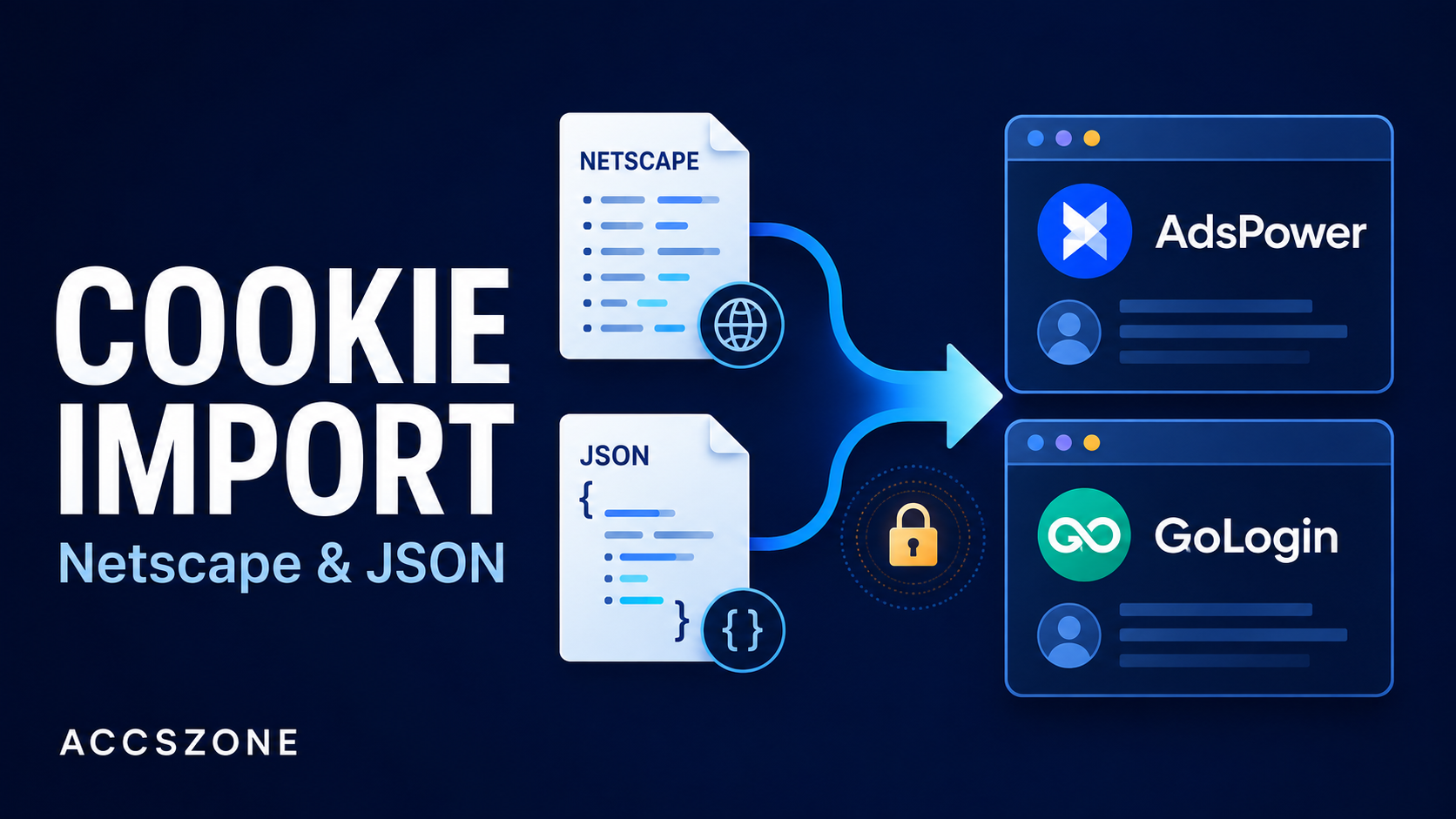
Moving an authorized browser session into AdsPower or GoLogin starts with a compatible cookie export. Both applications support JSON and Netscape cookie data, but a valid file does not guarantee that a website will accept the transferred session. This guide explains the formats, the documented import workflows, and how to diagnose failures without damaging cookie attributes.
1. Understand Netscape and JSON cookie formats
Cookies store values that a website can use for preferences, session management, and other state. An export also carries attributes controlling where and when those values apply. Preserve those attributes during migration.
Netscape: seven fields separated by tabs
A Netscape cookie file contains one record per line with seven fields: domain, include-subdomains flag, path, secure flag, expiry, name, and value. Separate them with six actual tab characters, and terminate each record with a newline. Most lines starting with # are comments; the #HttpOnly_ prefix is an exception that marks an HttpOnly cookie. Source: curl cookie-file documentation.
The following example uses synthetic data. The separators in the record are literal tabs:
# Netscape HTTP Cookie File
# Fields: domain, include_subdomains, path, secure, expiry, name, value
#HttpOnly_.example.com	TRUE	/	TRUE	1798761600	demo_session	DEMO_ONLY_NOT_A_REAL_SESSION
A nonzero expiry is Unix time in seconds; 0 represents a session cookie. Do not enforce a fixed digit count or trim away a trailing tab that represents an empty value.
JSON: structured data with exporter-specific keys
JSON is a data format, not a universal cookie schema. A common extension-style export is an array of objects:
[
  {
    "domain": ".example.com",
    "expirationDate": 1798761600,
    "hostOnly": false,
    "httpOnly": true,
    "name": "demo_session",
    "path": "/",
    "sameSite": "lax",
    "secure": true,
    "session": false,
    "value": "DEMO_ONLY_NOT_A_REAL_SESSION"
  }
]
Chrome's extension API uses numeric expirationDate in seconds, which may include a fractional part; session cookies omit it. The Chrome DevTools Protocol uses expires and different SameSite labels. Match the destination's supported export schema instead of renaming keys blindly. Chrome cookie schema; DevTools cookie schema.
| Property | Netscape | JSON exports |
|---|---|---|
| Structure | Seven tab-separated fields per record | Usually an array of cookie objects |
| Boolean syntax | TRUE or FALSE | true or false |
| Session expiry | 0 | Depends on the schema; Chrome extensions omit expirationDate |
| Modern attributes | No standard SameSite or partition-key columns | Can preserve additional attributes if both tools support them |
2. Prepare and validate the export locally
- Keep an untouched backup. Work on a copy from an account you own or are authorized to manage.
- Use plain UTF-8 text. Do not paste rich-text formatting, code fences, or surrounding explanatory text into an importer.
- Check JSON syntax separately from its schema. Require ordinary double quotes, balanced brackets, and valid escaping. Remove trailing commas or comments. Leading and trailing whitespace is valid JSON; a wrapper object or a quoted string containing JSON may still be incompatible with an importer expecting an array. Source: JSON standard.
- Preserve Netscape delimiters. Use an editor that can display tabs. Spaces and the two printed characters
\tare not tab separators. - Preserve scope and values. Keep domain, host-only status, path, flags, and cookie values intact. Do not automatically add a leading dot or broaden subdomain access. A host-only cookie belongs to its exact host; a leading dot in a Domain attribute does not create a special wildcard. Source: cookie domain rules.
- Check expiry without editing it to extend a login. Use a local date conversion tool and check seconds versus milliseconds against the export schema. The synthetic timestamp above represents 1 January 2027 at 00:00 UTC.
Handle partitionKey as meaningful data
partitionKey is legitimate Chromium cookie metadata. Chrome's extension API supports a nested object identifying a partition's top-level site. Its presence alone is not evidence of malformed JSON. Source: Chrome CookiePartitionKey.
If a particular importer rejects partition metadata, retain the original, check the client and browser-engine versions, and ask the vendor which migration schema preserves it. Prefer a supported transfer method or normal sign-in. Only test a vendor-directed transformation on a copy after understanding the data loss; do not use a text-search deletion as a general repair.
3. Import cookies into AdsPower
Method A: create one profile
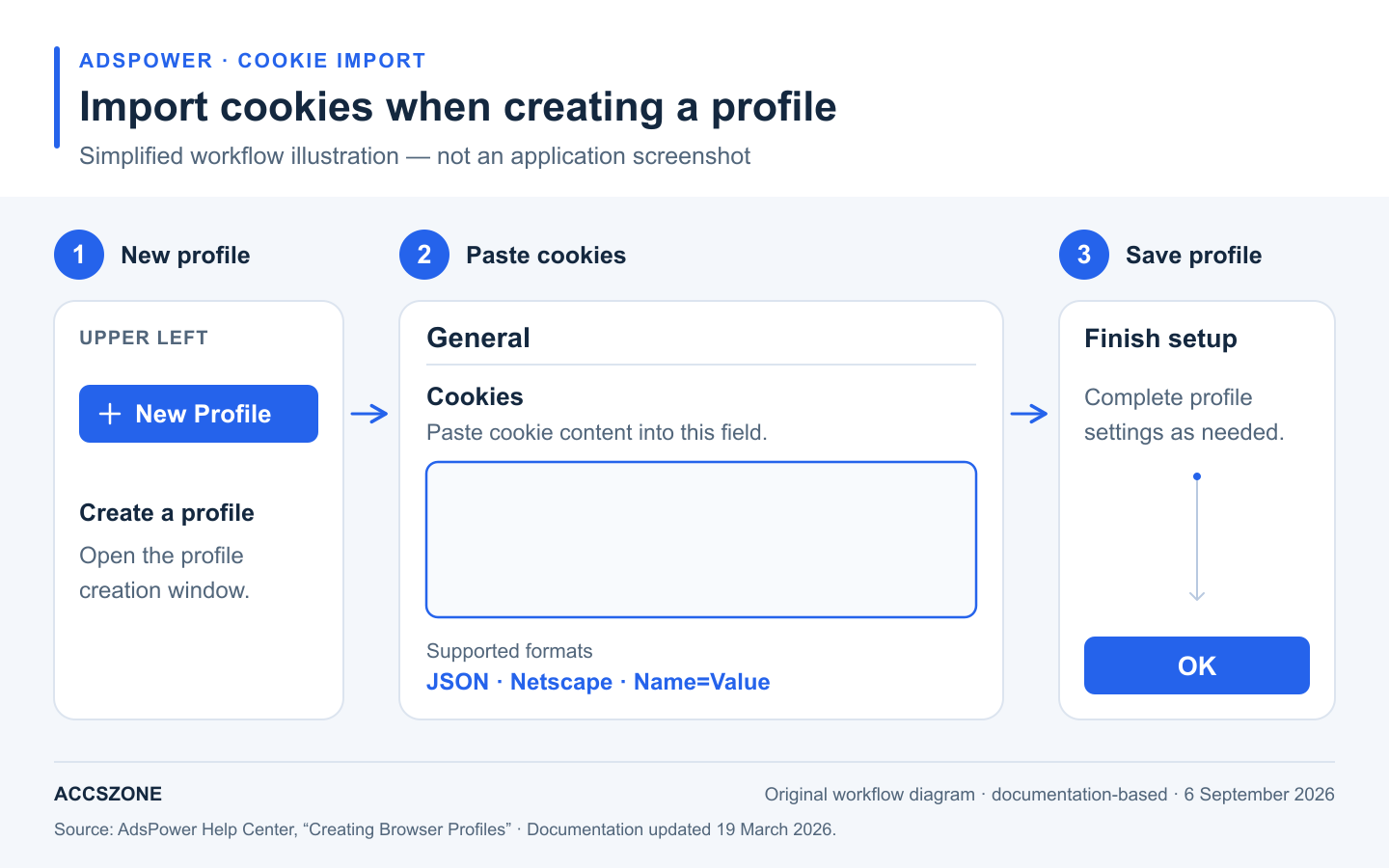
The current documented entry point is New Profile, at the upper left. Earlier tutorials may call this single import.
- Click New Profile.
- In General, find the cookies field and paste the complete JSON or Netscape export. AdsPower also documents Name=Value support.
- Complete the profile settings required for your workflow. If you use a proxy, configure it in Proxy and check its connection.
- Click OK to create the profile. Find it under Profiles and use Open when ready to verify the session.
Source: AdsPower, Create a profile.
Method B: create profiles with an import template
- Click the + button beside New Profile to open Bulk Create, then select Mass import.
- Download the current Excel or TXT template. For Excel, keep the supplied column names and place each profile's complete payload in its cookie cell.
- Follow the template's field instructions. Do not remove columns, rename headers, or merge cells. Remove the example row before saving.
- Upload the completed template, review the settings and validation feedback, and confirm the import with OK.
This creates profiles; it is not a recurring cookie-sync process. Keep JSON as cell text. Ordinary quotes inside an Excel cell do not need CSV-style escaping. Source: AdsPower, Bulk Create.
4. Import cookies into GoLogin
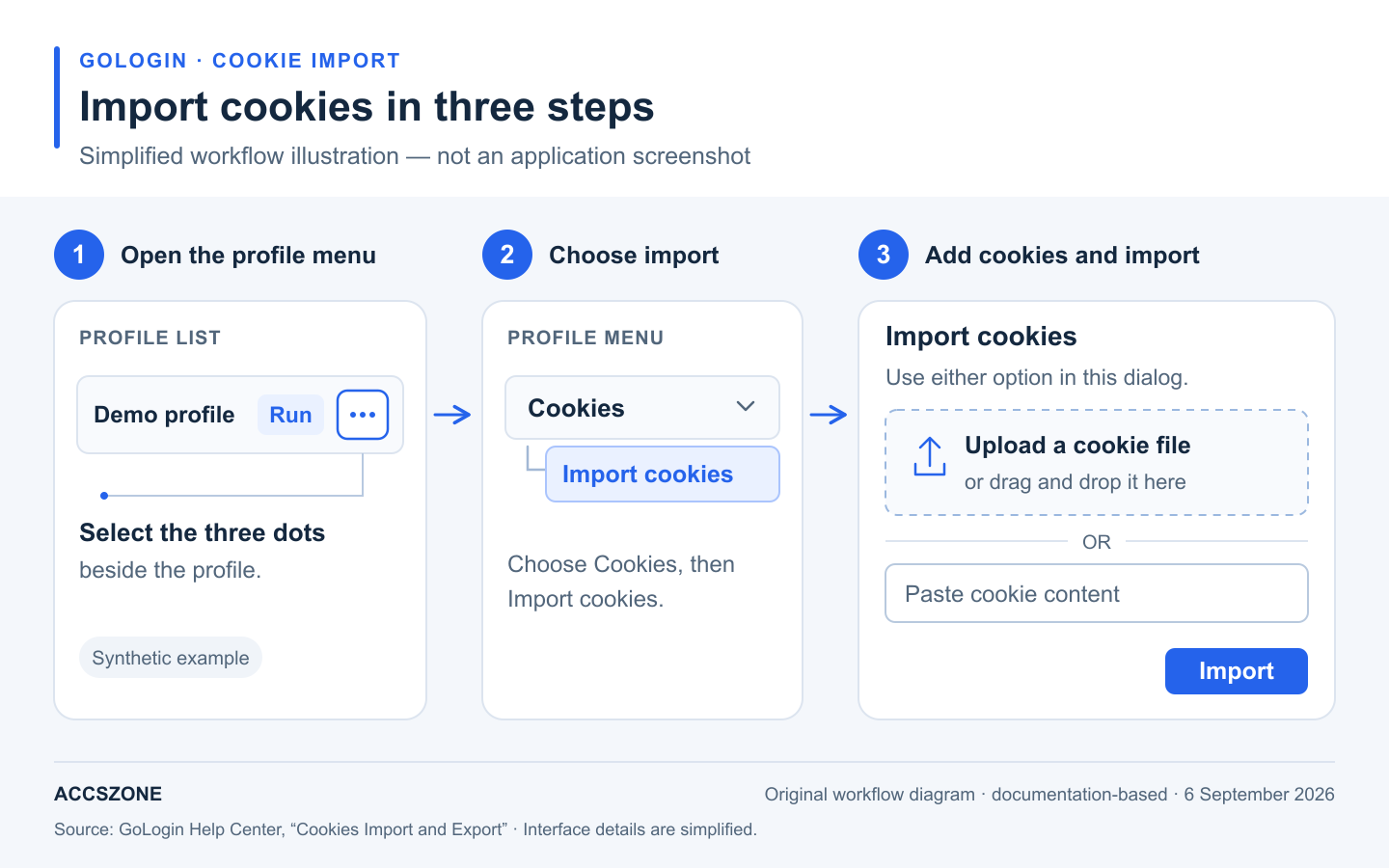
GoLogin's current help places file upload and direct paste in the same import dialog.
- Find the intended profile and open its three-dot menu.
- Choose Cookies, then Import cookies.
- For a file, click the file area to select it or drag it into the drop zone. Use a JSON or Netscape export.
- For direct paste, place the complete cookie text in the field below the upload area instead.
- Click Import and check the result before opening the profile.
Use either input method for the intended payload. For a new profile, create it first and then follow the same menu route. Source: GoLogin, Cookies Import and Export.
5. Troubleshoot the stage that actually failed
Separate file rejection, application errors, and website authentication. They have different causes and need different checks.
| Symptom | What to check | Next action |
|---|---|---|
| File rejected as an unsupported format | JSON grammar, expected array shape, literal Netscape tabs, and exporter-specific fields. | Validate a copy locally. Compare its schema with the destination's current documentation. A .json or .txt extension alone does not prove the content is valid. |
| Import dialog or profile table crashes | Application version, browser-engine version, and release notes. | Check for a relevant update. Reproduce with synthetic data and send support the versions and error text, with all private values removed. |
| Import accepted, but cookies appear missing | Selected profile, domain/path, expiry, Secure restrictions, SameSite, and partition context. | Inspect cookie presence without copying values into reports. Compare with the original export and the importer response. |
| Cookies exist, but the site requests login | Server-side revocation or expiry, reauthentication policy, and additional session dependencies. | Sign in through the website's normal process, including any requested verification. Export a fresh authorized session only if migration is still needed. |
Changing a timestamp does not renew authentication
Browser retention and server-side session lifetime are separate. Extending a cookie's timestamp cannot reactivate a revoked or expired server session. Do not modify expiry values to force a login to persist. Source: OWASP session expiration guidance.
What the Chromium bug evidence actually shows
Chromium issue 361862746 concerned an extension being unable to retrieve a partitioned cookie; the tracker marks it fixed. It does not establish that AdsPower or GoLogin rejects every nested partitionKey object. No reviewed official vendor source established that blanket rejection claim. Source: Chromium issue 361862746.
Application defects also occur: GoLogin's 4.11.3 release notes, dated 3 September 2026, include a fix for an application error affecting the profiles table and Cookies modal. Check the installed version before treating a crash as proof of bad cookie syntax. Source: GoLogin release notes.
6. Protect session data during migration
A session token can grant access without another password prompt while it remains valid. Treat cookie exports as credentials. They do not guarantee bypassing multifactor authentication or other checks, and transferring cookies alone may not reproduce the full session. Source: GoLogin, What Are Browser Cookies?
- Work locally. Uploading an export to an online converter shares its secrets with another party. Use trusted offline editors or tools.
- Limit access and retention. Store necessary backups with strong encryption and restricted access. Remove temporary copies when no longer needed.
- Use synthetic examples. Exclude real tokens, profile identifiers, usernames, and proxy credentials from screenshots, articles, and support tickets.
- Follow the service's access policies. Use the network configuration appropriate for the authorized workflow. No proxy type or geographic match guarantees acceptance.
- Respond to exposure. If a token leaks, revoke the affected sessions using the website's account-security controls.
7. Frequently asked questions
Can I mix Netscape records and JSON in one input?
Use one complete supported format per payload. Combining arbitrary Netscape lines with a JSON array does not create a valid file in either format. Follow a vendor's explicit merge feature separately if needed.
Why does an imported session immediately require sign-in?
The importer may have accepted the data while the website rejected the session. Check the target profile and cookie attributes, then consider expiry, revocation, required browser storage, or a new verification challenge. Reauthenticate when prompted.
Is there a maximum file size or cookie count?
The official dashboard documentation reviewed for this guide does not state a numeric maximum. Do not assume uploads are unlimited or apply an arbitrary 200-cookie threshold. Browser storage limits and application upload limits are separate; ask the vendor about the specific client and payload.
Should I remove partitionKey to make a JSON file import?
Not as a default fix. Preserve partitioned-cookie semantics with a supported schema or migration method. Deleting the field can change how a cookie is isolated.