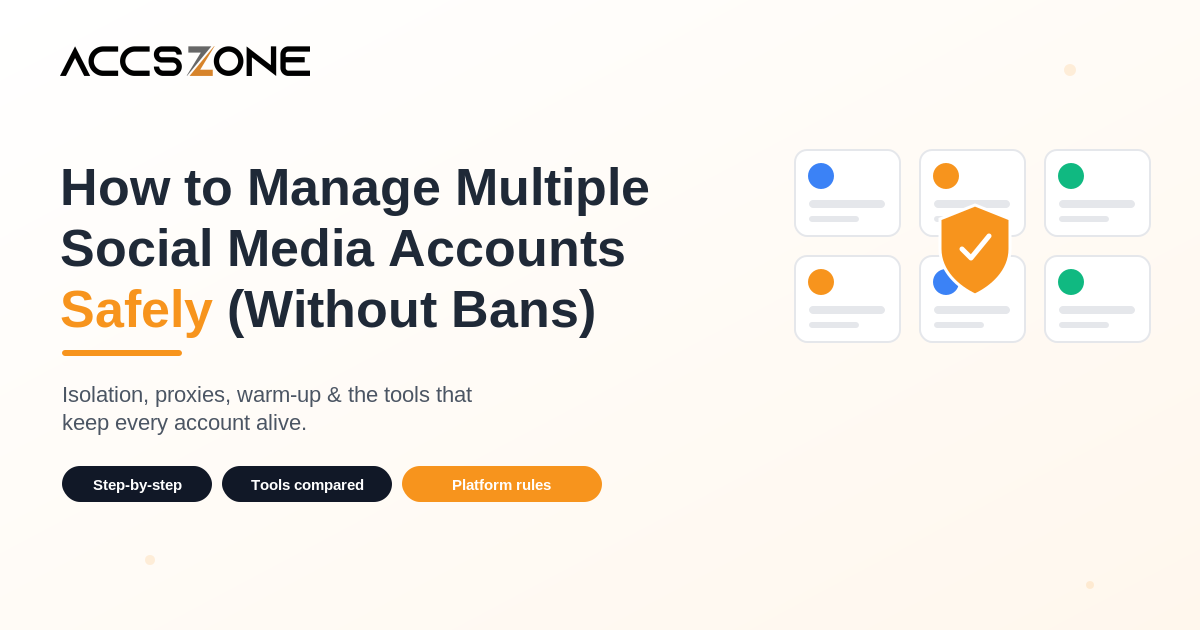
How to Manage Multiple Social Media Accounts Safely (Without Getting Banned)
Short answer: To manage multiple social media accounts safely, keep each account fully isolated — one browser profile or cloud phone per account, one dedicated proxy per account, reliable accounts to start with, and a slow warm-up. Platforms ban multi-account setups when they detect a shared device, browser fingerprint, or IP address across profiles. Remove those shared signals and you can run many accounts without bans.
Running one account is simple. Running ten, fifty, or a few hundred — across Facebook, Instagram, TikTok, X, and Reddit — is a real operational discipline, and it's where most marketers, agencies, and growth teams lose accounts and money. This guide is the complete, practical system: which platforms actually allow multiple accounts, the tools that keep them separate, and the exact step-by-step workflow that keeps every account alive.
Why Manage Multiple Social Media Accounts?
Multi-account management is standard practice for anyone operating at scale:
- Agencies & freelancers — running profiles for many clients from one place.
- Marketers & growth teams — separate accounts per niche, region, or campaign.
- Affiliate & performance marketers — testing offers across many profiles.
- E-commerce & social sellers — store, support, and ad accounts kept apart.
- Community & outreach — engaging authentically in different spaces.
The challenge is never creating the accounts — it's keeping them from being linked and banned as a group. That's what the rest of this guide solves.
Can You Have Multiple Accounts? Platform Rules at a Glance
The first question everyone asks is whether it's even allowed. It varies by platform — some officially permit several accounts, others technically limit or discourage them. Here's the reality:
These limits come from the platforms' own help centers — for example, Instagram Help and TikTok Support. The takeaway: having multiple accounts is usually fine. What gets them banned is running them in a way that looks automated or coordinated — which is a technical problem with a technical solution.
The Core Problem: How Platforms Link Accounts
Platforms don't need your name to connect your accounts. They infer it from shared technical signals. When several profiles log in from the same device, browser, and IP, an automated anti-spam system flags them as one operator — and tends to action them all at once.
Three signals do most of the damage:
- Shared IP address — many accounts from one home or office IP is the classic multi-account footprint.
- Shared browser fingerprint — cookies, canvas, fonts, and device data are near-identical across accounts in one browser.
- Correlated behavior — accounts that post, follow, or engage with each other in sync look coordinated.
Beat those three and you beat the problem. Everything below is designed to remove each signal.
How to Run Multiple Accounts: 4 Methods Compared
Not every method isolates accounts equally. Here's how the common approaches stack up:
The Step-by-Step Multi-Account Management System
Here is the exact workflow that keeps accounts alive, in order. Skip a step and the chain breaks.
Step 1 — Start with reliable accounts
Isolation can't rescue a bad account. If a profile arrives already flagged or without recovery access, no proxy will keep it alive. Use accounts you can fully control — with email access and recovery details — whether you create them yourself or source aged, verified accounts. A trusted marketplace like AccsZone supplies Facebook, Instagram, and other accounts with email access, which removes the most common failure point before you start.
Step 2 — Isolate every account
Give each account its own environment. On desktop, that means one antidetect browser profile per account (unique fingerprint, cookies, and storage). For mobile-first apps like TikTok, a cloud phone does the same job. Never run multiple important accounts in the same standard browser — even separate Chrome profiles leak a shared fingerprint.
Step 3 — Assign a dedicated proxy per account
Isolation is undone the moment every profile exits through the same IP. Assign one residential or mobile proxy per account (or per small group of 3–5), kept in a stable region that matches the account. Avoid cheap datacenter proxies for logins — they're easily detected.
Step 4 — Warm up slowly
A perfectly isolated account still gets flagged if it behaves like a bot on day one. Ease each account in:
- Days 1–3: log in, browse, and read only — no posting or following.
- Week 1: light activity — a few likes, a follow or two, complete the profile.
- Week 2+: ramp gradually, staying well under each platform's daily limits.
Step 5 — Maintain account hygiene
- Secure recovery: change passwords and enable 2FA on every account.
- Keep each account's login environment consistent — same profile, same proxy.
- Never cross-follow, cross-like, or cross-engage between your own accounts.
- Keep a simple record of which proxy and email belongs to which account.
Common Mistakes That Get Accounts Banned
- Reusing one IP across many accounts — the fastest way to link and lose a whole batch.
- Managing accounts in normal Chrome profiles or incognito — they still share a fingerprint.
- Skipping warm-up and posting or following aggressively on day one.
- Cross-engaging your own accounts — an obvious coordination signal.
- Using unreliable accounts with no recovery email — locked out at the first checkpoint.
The Tools You'll Need
| Tool | Purpose |
|---|---|
| Reliable accounts | The foundation — with email/recovery access |
| Antidetect browser or cloud phone | Isolate each account's fingerprint |
| Residential / mobile proxies | One clean IP per account |
| A tracking sheet | Map account → proxy → email |
- Most platforms allow multiple accounts — bans come from how you run them.
- Remove the three linkage signals: shared IP, shared fingerprint, correlated behavior.
- Isolate each account (antidetect browser or cloud phone) + one dedicated proxy.
- Start with reliable accounts, warm up slowly, and keep behavior distinct.
Frequently Asked Questions
How do you manage multiple social media accounts safely?
Isolate each account in its own antidetect browser profile or cloud phone, assign a dedicated residential or mobile proxy per account, start with reliable accounts that have recovery access, and warm each one up slowly. This removes the shared-IP and shared-fingerprint signals platforms use to link and ban accounts.
Can you have multiple Facebook accounts?
Facebook's rules allow only one personal profile per person, but you can run multiple Pages and Business Manager (ad) accounts. Many operators use separate isolated profiles for business accounts; keep them on distinct environments and IPs to avoid linking.
Can you have multiple Instagram accounts?
Yes. Instagram officially supports up to five accounts within the app. For more than that, or to keep accounts truly separate, run each in an isolated browser profile or cloud phone with its own proxy.
Can you have multiple TikTok accounts?
Yes. TikTok lets you switch between up to three accounts in-app. To run more safely, isolate each in a cloud phone or antidetect environment with a dedicated proxy.
How do you manage multiple accounts without getting banned?
Give each account its own browser fingerprint and IP, never cross-engage your own accounts, warm them up gradually, and keep the login environment consistent. Bans happen when accounts share a device, browser, or IP.
What is the best tool to manage multiple accounts?
For desktop scale, an antidetect browser (one profile per account); for mobile-first apps, a cloud phone. Both should be paired with a dedicated proxy per account. Built-in app switching is convenient but provides no isolation.
Do you need a proxy for each account?
Ideally yes — one dedicated residential or mobile proxy per account, or per small group of 3–5. Never route dozens of accounts through a single IP.
Conclusion
Managing multiple social media accounts safely isn't about tricks — it's a repeatable system: reliable accounts, full isolation, a dedicated proxy each, slow warm-up, and consistent hygiene. Remove the shared IP, fingerprint, and behavior signals, and platforms have nothing to link your accounts by. Build the stack once and it becomes a durable foundation for marketing, agency work, and growth at any scale.