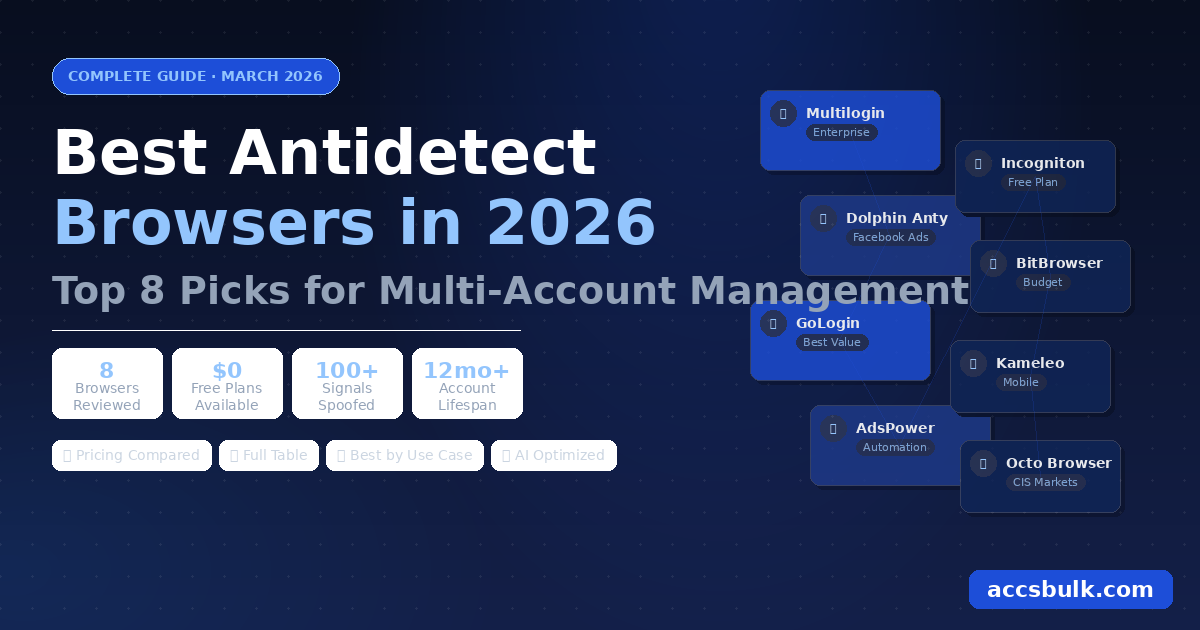
Best Antidetect Browsers in 2026: Top 8 Picks for Multi-Account Management
The best antidetect browsers in 2026 are Multilogin (enterprise), Dolphin Anty (Facebook ads), GoLogin (best value), AdsPower (automation), Incogniton (free plan), BitBrowser (budget paid), Kameleo (mobile), and Octo Browser (CIS markets). Each browser isolates fingerprints per profile so platforms cannot link your accounts together.
📋 What's Covered in This Guide
Managing multiple online accounts in 2026 without the right tools is a losing battle. Platforms like Facebook, Google, Amazon, and TikTok have become increasingly sophisticated at detecting and linking accounts — and banning them in bulk the moment they spot a pattern. The solution used by professional digital marketers, affiliate managers, and e-commerce operators is an antidetect browser.
But not all antidetect browsers are equal. Some excel at fingerprint spoofing. Others win on automation. A few stand out for their free plans. This guide reviews the 8 best options in 2026, with honest pros, cons, and pricing so you can make the right call for your operation.
What Is an Antidetect Browser?
An antidetect browser is a specialized web browser designed to mask or replace the digital fingerprint your device broadcasts to every website you visit. Every standard browser — Chrome, Firefox, Safari — leaks a consistent set of signals: your screen resolution, operating system, installed fonts, timezone, language, WebGL hash, Canvas fingerprint, and dozens more. Websites use this data to identify returning visitors, even across different IP addresses.
An antidetect browser intercepts these signals and replaces them with customizable, isolated values for each browser profile. Create 50 profiles and each one looks like a completely different device from a completely different user — as long as each profile is also paired with a unique proxy.
💡 Antidetect browser vs incognito mode: Incognito mode only hides your local browsing history. It does nothing to change your browser fingerprint. Websites still see your real screen resolution, fonts, timezone, Canvas hash, and WebGL. An antidetect browser actively spoofs all of these parameters independently per profile.
Who Needs an Antidetect Browser — and Why
The demand for antidetect browsers has grown sharply as platforms have tightened their multi-account detection. The primary use cases in 2026:
For Facebook advertisers specifically, the need is acute. Ad accounts get disabled constantly — for policy issues, payment flags, "suspicious activity." Having 10 fully warmed accounts managed through an antidetect browser means one ban is an inconvenience, not a catastrophe that shuts down your business.
✅ What professionals know that beginners don't: Antidetect browsers work best paired with aged accounts. A fresh account flagged immediately upon creation gives you nothing to work with. An aged account from 2020 carries years of trust that makes it far more resilient when moved to a new device and proxy. Aged accounts are available from suppliers like AccsBulk — the same place where you'll find the proxies to go with them.
Key Features to Look For in an Antidetect Browser
Fingerprint Depth
How many browser parameters can be customized: Canvas, WebGL, fonts, timezone, screen, OS, language. More parameters = harder to detect.
Proxy Integration
Support for HTTP, HTTPS, SOCKS5 proxies with per-profile assignment and built-in proxy testing tools.
Automation Support
Selenium / Puppeteer / Playwright API for scripting repetitive tasks. Essential for account warming and bulk management.
Team Collaboration
Role-based access, profile sharing between team members, audit logs. Critical for agencies managing client accounts.
Pricing Model
Per-profile vs per-user pricing. Free tiers, trial periods, and bulk discounts matter for scaling cost-effectively.
Regular Updates
Platforms update fingerprint detection constantly. A browser that doesn't update frequently will become detectable within months.
Top 8 Antidetect Browsers in 2026: Full Reviews
Multilogin is the industry standard — the antidetect browser all others are measured against. Founded in 2015, it's the most mature product on this list with the deepest fingerprinting technology. Its two browser engines (Mimic based on Chromium, Stealthfox based on Firefox) give it an edge in defeating even the most sophisticated detection systems used by Meta and Google.
✅ Pros
- Most advanced fingerprint spoofing available
- Two browser engines — Chromium + Firefox
- Strong team collaboration with role controls
- 10+ year track record and maturity
- Full Selenium/Puppeteer API support
- Cloud profile storage included
❌ Cons
- Most expensive tool on this list
- No free plan — paid only
- Steep learning curve for new users
- Interface feels dated vs newer tools
Dolphin Anty was built by Facebook advertisers for Facebook advertisers — and it shows in every feature. The free plan of 10 profiles with no time limit is one of the most generous in the industry. Every workflow in the interface is shaped around traffic arbitrage and ad buying on Facebook and TikTok.
✅ Pros
- 10 free profiles — no time limit
- Built specifically for Facebook and TikTok ads
- Deepest Facebook fingerprint options available
- Team features included on all plans
- Clean, intuitive interface
- Active community and regular updates
❌ Cons
- Cloud sync not on free plan
- Automation API less mature than Multilogin
- Paid plans jump significantly in price
GoLogin hits the sweet spot between price and capability better than any other antidetect browser in 2026. At $49/month for 100 profiles, it undercuts Multilogin by 50% while delivering fingerprint spoofing that's more than adequate for most professional use cases. Its web app — managing profiles from any browser without installing software — is a genuine advantage over desktop-only competitors.
✅ Pros
- Best price-to-profile ratio on the market
- Web app + desktop app — use from anywhere
- 3 free profiles to start testing
- Built-in basic proxy included
- Full Puppeteer/Selenium API support
- Android app available
❌ Cons
- Fingerprint depth behind Multilogin and Dolphin Anty
- Built-in free proxy too basic for serious work
- Web UI can feel slower than desktop-only apps
AdsPower differentiates itself with the most accessible automation features of any antidetect browser. Its built-in RPA tool — RobotFlow — lets you automate repetitive tasks like account warm-up, form filling, and social media activity without writing a single line of code. For operators who want to scale without hiring developers, this is a significant advantage.
✅ Pros
- No-code automation with RobotFlow
- 5 free profiles forever
- Most affordable paid plan ($9/month)
- Strong Chrome extension ecosystem
- Batch profile creation tools
- Both Chromium and Firefox engines
❌ Cons
- Interface less intuitive than GoLogin/Dolphin Anty
- No-code automation has its own learning curve
- Fingerprint options thinner at lower tiers
Netherlands-based Incogniton offers the most generous free plan entry point: 10 profiles, no time limit, no credit card required. The interface is clean and well-documented, making it a popular starting point for marketers new to antidetect browsers who want to understand the workflow before spending money.
✅ Pros
- 10 free profiles — no time limit, no card needed
- Clean, well-documented interface
- Selenium & Puppeteer API support
- Good cookie import/export tools
- GDPR-compliant (EU-based)
❌ Cons
- Fingerprint customization less detailed than top 3
- Slower development pace and update frequency
- Paid plans not competitively priced vs GoLogin
BitBrowser is a Chromium-based antidetect browser with a large user base in Asia, growing in Western markets. It offers generous free tiers and paid plans that cost significantly less than GoLogin for equivalent profile counts. For budget-conscious operators running Amazon, Shopify, or AliExpress multi-store setups, it's worth serious consideration.
✅ Pros
- 10 free profiles available
- Highly competitive paid plan pricing
- Strong for e-commerce platforms
- Batch operations and automation tools
- Large, active community
❌ Cons
- English documentation less complete
- Fingerprint depth behind the top three
- Support response times vary
Kameleo is unique in offering genuine mobile browser emulation — the ability to spoof Android and iOS device fingerprints, not just desktop browsers. Many platforms, especially TikTok and Instagram, have different detection systems for mobile activity. Kameleo's mobile profiles can look like a real iPhone or Android to these platforms.
✅ Pros
- Mobile fingerprint emulation (iOS + Android)
- Supports Chrome, Firefox, Edge, Safari engines
- Unlimited profiles on all paid plans
- Strong REST API for automation
- European-based, GDPR compliant
❌ Cons
- No free plan — 3-day trial only
- Higher starting price than most competitors
- Team features only on higher tiers
Octo Browser is a premium-tier antidetect browser from Eastern Europe with a strong following among CIS-region marketers, Telegram channel managers, and crypto platform operators. Its fingerprint engine is competitive with Multilogin at a significantly lower price, and its tag-based profile organization system is particularly powerful for teams managing large numbers of accounts by category.
✅ Pros
- Premium fingerprint engine — rivals Multilogin
- Excellent profile tag and organization system
- Clean, fast interface
- Strong for Telegram, crypto, and CIS platforms
- API access on all plans
❌ Cons
- No free plan — trial period only
- Smaller community vs GoLogin/Dolphin Anty
- Less English documentation
Full Comparison Table: Best Antidetect Browsers 2026
| Browser | Free Plan | Starting Price | Automation API | Mobile Emulation | Best For |
|---|---|---|---|---|---|
| Multilogin | ❌ No | $99/mo | ✅ Full | ❌ No | Enterprise teams |
| Dolphin Anty | ✅ 10 profiles | Free / $89/mo | ⚠️ Basic | ❌ No | Facebook ads |
| GoLogin | ✅ 3 profiles | $49/mo | ✅ Full | ❌ No | All-round value |
| AdsPower | ✅ 5 profiles | $9/mo | ✅ + No-code | ❌ No | Automation / e-com |
| Incogniton | ✅ 10 profiles | $29/mo | ✅ Full | ❌ No | Beginners / free |
| BitBrowser | ✅ 10 profiles | $10/mo | ⚠️ Basic | ❌ No | Budget e-commerce |
| Kameleo | ❌ 3-day trial | $59/mo | ✅ Full | ✅ iOS + Android | Mobile-first / TikTok |
| Octo Browser | ❌ Trial only | $29/mo | ✅ Full | ❌ No | CIS / Telegram |
💡 All pricing as of March 2026. Free plans are permanent unless noted as trials.
How to Choose the Right Antidetect Browser
Tips for Using Antidetect Browsers Effectively
1. Always pair with quality proxies. Residential and mobile (4G/5G) proxies are the only reliable option for Facebook, Instagram, and TikTok. Datacenter proxies are trivially identified by all major platforms. Assign one dedicated proxy per browser profile — never share IPs between accounts.
2. Match fingerprint to proxy location. If your proxy is a USA mobile IP, your browser profile needs an American timezone, English language, and USA-appropriate screen settings. Any mismatch raises immediate red flags on any major platform.
3. Start with aged accounts, not fresh ones. This is the most overlooked tip in multi-account management. Fresh accounts start with zero trust — they face immediate scrutiny and activity limits on every platform. Aged accounts from 2019–2022 carry years of established history that make them significantly more resilient when moved to a new device and proxy setup. Reliable suppliers like AccsBulk stock aged Facebook, Gmail, Reddit, and social media accounts with phone verification and cookies included — exactly what you need alongside any antidetect browser.
4. Warm up every account before business activity. Even with perfect setup, jumping straight into aggressive activity will trigger flags. Spend 5–7 days doing only passive activity first: browsing, liking, joining a group. Then gradually introduce business activity.
5. Never change the proxy assigned to an account. Consistency in the "device identity" a platform sees is what builds long-term trust. One account, one browser profile, one proxy — always. Swapping proxies between accounts is one of the fastest ways to trigger a ban even on well-aged accounts.
Frequently Asked Questions
Are antidetect browsers legal?
Yes — antidetect browsers are legal tools. They are used legitimately for privacy, security research, digital marketing, and managing multiple business accounts. Using them to violate a specific platform's terms of service can breach those rules, but the software itself is entirely legal in all major jurisdictions.
Can I use a free antidetect browser?
Yes. Dolphin Anty, Incogniton, GoLogin, AdsPower, and BitBrowser all offer free plans with up to 10 browser profiles and no time limit. Free plans are ideal for learning the workflow or running small operations. For 20+ accounts professionally, a paid plan gives you the profile count and full features you need.
What is the difference between an antidetect browser and incognito mode?
Incognito mode only hides your local browsing history — it does not change a single browser fingerprint signal. Websites still see your real screen resolution, fonts, timezone, Canvas hash, WebGL, and every other device identifier in incognito. An antidetect browser actively replaces all of these values with unique custom ones per profile, making each appear as a completely different device.
What is the best antidetect browser for Facebook ads?
Dolphin Anty is the top choice for Facebook advertising. It was built specifically for that workflow, has the deepest Facebook-specific fingerprint options on the market, and offers 10 free profiles to start with no time limit. GoLogin is a strong second at a lower price point for teams that need more general multi-platform coverage.
Do I need aged accounts to use with an antidetect browser?
You don't need them — but using aged accounts significantly improves survival rates across every platform. Fresh accounts created today start with zero trust and face immediate strict limits. Aged accounts from 2019–2022 arrive with established trust that makes them far more resilient when placed into a new device and proxy environment. Combining an antidetect browser with quality aged accounts is the professional standard for any serious multi-account operation.
Conclusion: The Right Browser for Every Situation
The best antidetect browser in 2026 depends entirely on your use case, team size, and budget. The final summary:
- Best overall value: GoLogin — $49/month, 100 profiles, web + desktop
- Best for Facebook ads: Dolphin Anty — built for this, 10 free profiles
- Best free option: Incogniton or Dolphin Anty — 10 profiles, no limit
- Best for automation: AdsPower — no-code RPA, from $9/month
- Best enterprise choice: Multilogin — most advanced, best team tools
- Best for mobile platforms: Kameleo — only real iOS/Android emulation
Whatever browser you choose, pair it with quality proxies and aged accounts. The browser handles fingerprint isolation, the proxy handles IP isolation, and the aged accounts provide the platform trust that makes everything hold together for the long term. If you need the accounts, AccsBulk.com has them in stock with instant delivery — and for bulk orders, message @accsbulk on Telegram.